 vs
vs
KlipKap Pro vs Tella: the interface or the presenter
Updated September 2026 · we make KlipKap, so weigh the opinion accordingly. Every Tella figure below comes from their own public pages and is linked at the bottom.
The short version
KlipKap Pro, if the video is about your software. Tella is built around you on camera, with layouts and backgrounds, and it does that well; but it is browser-first, subscription-only at $13 per user per month, and its way in is a seven-day trial. When the subject is an interface rather than a face, cursor-follow zoom, pointer restyling and on-device captions matter more than camera framing, and none of it should have to pass through a browser.
How we checked. The KlipKap column comes from using the product. Every Tella claim comes from their own pricing and feature pages rather than from a review site, and where we could not confirm something we say so instead of filling the gap. Feature availability changes; the date at the top is when this was last verified.
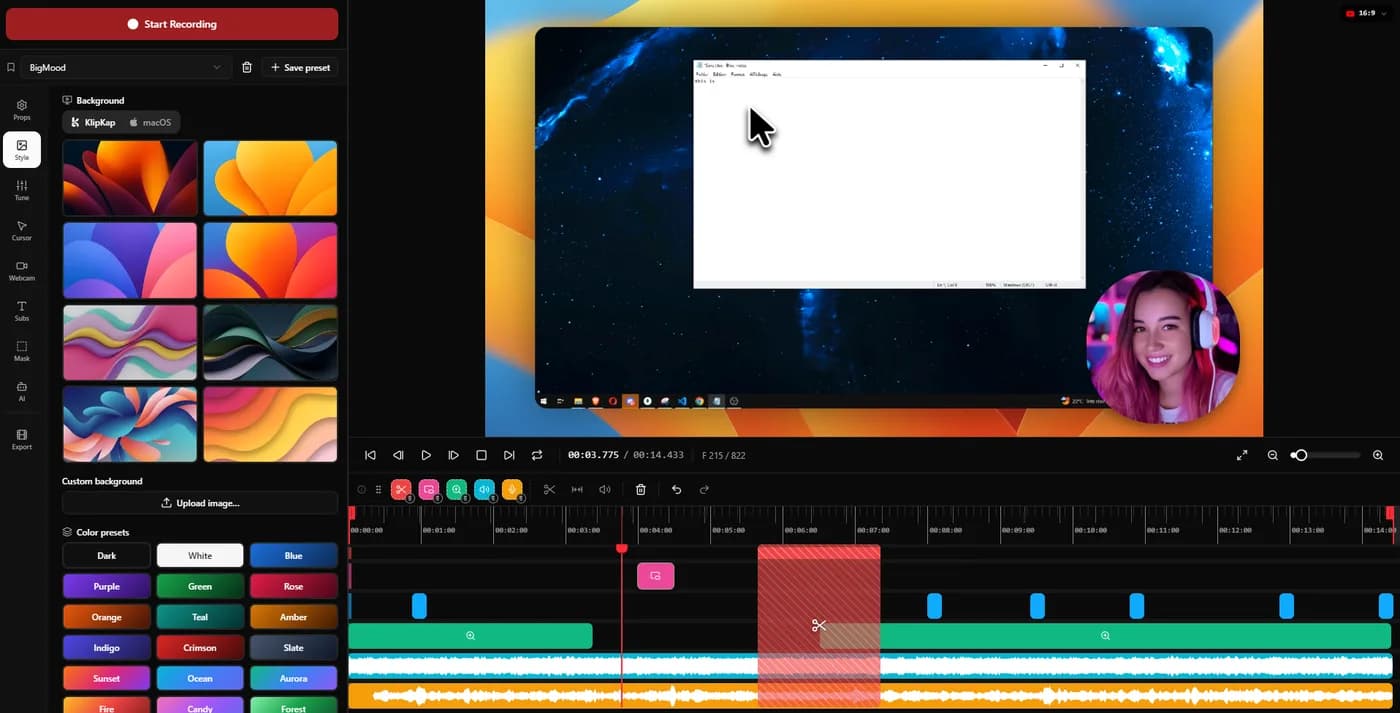
What the video is actually about
A talking-head announcement and a walkthrough of a settings page are different crafts. The tool that frames a face well is not automatically the tool that makes a checkout flow legible.
KlipKap Pro
Built for the screen-led case: zoom placed automatically around clicks with adjustable depth and tracking, cursor motion smoothed, the pointer redrawn from twelve styles, and per-zoom manual targeting.
Tella
Built for the presenter-led case: layout presets, backgrounds and camera framing that make a talking head look produced without opening an editor.
KlipKap Pro when the interface is the subject, which is what most product demos and tutorials are.
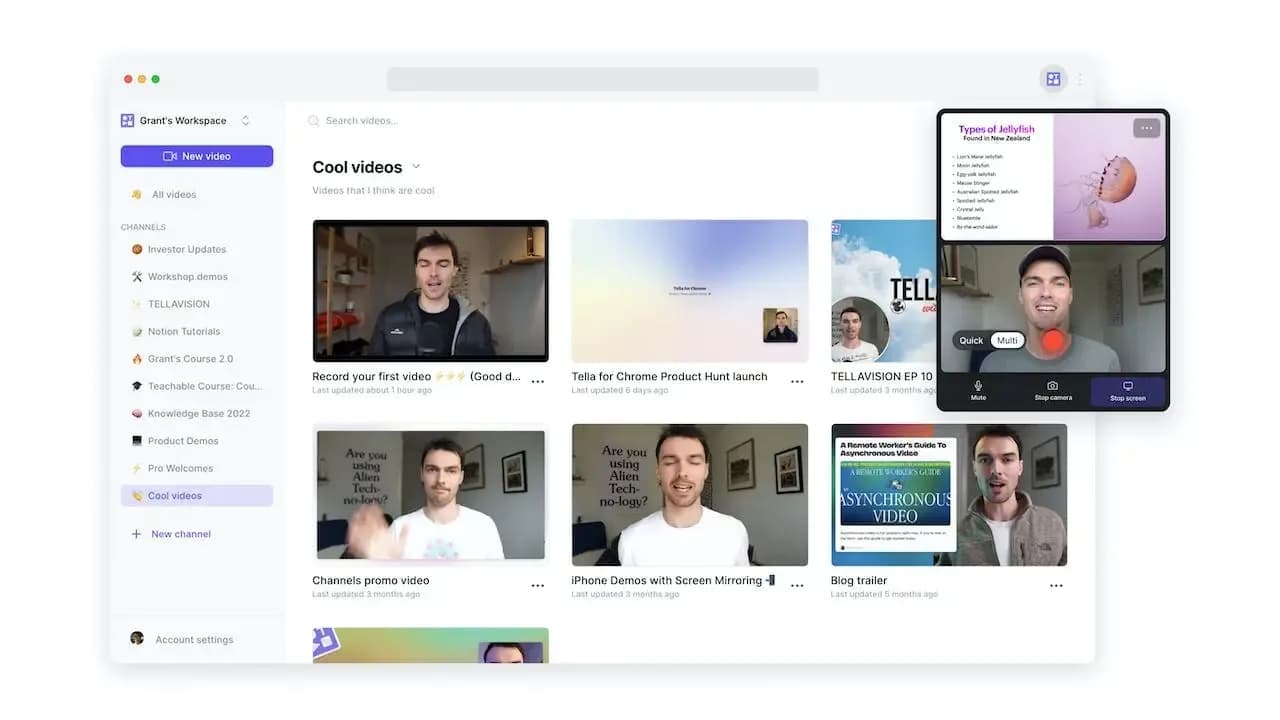
Where the recording lives
Browser recording is convenient until the screen contains customer data, internal metrics or anything under an NDA, at which point where the file goes stops being an implementation detail.
KlipKap Pro
A desktop application. Capture, editing, transcription, audio repair and export all run on your machine, and nothing is uploaded at any stage.
Tella
Browser-first and cloud-hosted, which is what makes its sharing and analytics work. The recording passes through their infrastructure by design.
KlipKap Pro when the footage cannot leave the building. Tella when hosted delivery is the point.
How you pay for it
Per-seat pricing scales with the team rather than with usage, so the bill grows when you hire even if nobody records more.
KlipKap Pro
$25.49 once per licence, with no seat count and updates included. A permanent free tier rather than a countdown.
Tella
$13 per user per month billed annually, so $156 a year for one person, and $19 per user per month for Premium. The way in is a seven-day trial rather than a free tier.
KlipKap Pro. One payment against $156 a year per person, and a free tier you can take your time with.
Repairing the audio you actually recorded
A good take with bad audio is an unusable take, and re-recording is the expensive fix. What matters is whether the repair lives in the same application or means exporting to something else.
KlipKap Pro
Six controls applied at export rather than baked in: cleanup for low-frequency rumble, adaptive noise suppression, bass boost, voice clarity, voice boost and a de-esser around 7 kHz. Silent stretches are detected and removed automatically, which is the biggest single saving on a long unscripted take.
Tella
Automatic silence removal is offered. Granular voice repair controls are not documented on the public feature pages.
KlipKap Pro. One-button cleanup covers the ordinary case; six controls plus silence trimming cover the take you would otherwise shoot again.
Current plans
KlipKap Pro
- Pro: $25.49 once, updates included, no renewal
- Free: permanent, 720p with a watermark, no time limit
- Windows 10/11 and macOS 13 or later, same price on both
- One account, unlimited machines, no device count to manage
- 14-day money-back guarantee
Tella
- $13/user/month billed annually, so $156/year
- $19/user/month for Premium
- Seven-day trial, no permanent free tier
- macOS, Windows and a Chrome extension
When to choose KlipKap Pro
Two different subjects, two different engines
This comparison is not really about zoom motion. Tella's work goes into framing a person: layouts, backgrounds, the presenter composed against a screen share. It is good at that and KlipKap Pro does not try to be. KlipKap Pro's engine goes into the interface instead, following the cursor, punching in on clicks and easing back out, which is the work you want when the subject is software rather than a face. Pick on what your videos are actually of.
Your software is the subject
Auto-zoom, cursor restyling and per-zoom targeting are what make a small interface detail legible at half width on a landing page.
The footage stays local
Nothing is uploaded, including for captions, which removes a conversation rather than starting one.
You need longer than seven days
A permanent free tier lets you evaluate a tool you might only reach for once a month.
When Tella is the better fit
You are the subject
Layouts, backgrounds and webcam framing are Tella's product, and nothing here replaces them. Founder videos and course intros are exactly its case.
You want hosted delivery
Branded pages, chapters, comments and viewer analytics come with it. A local editor gives you a file and stops there.
You want to stay in the browser
No install, works from any machine, and the recording is available to share the moment it ends.
Can you use both?
Reasonably, yes. They aim at different halves of the same job. Tella for the pieces where you are on camera, a local editor for the product walkthroughs, and neither one is trying to replace the other.
Frequently asked questions
- Is KlipKap Pro a good Tella alternative?
- If your videos are mostly screen rather than face, yes, and it costs $25.49 once against $156 a year per seat. If the video is you talking to camera with a layout and a background, Tella does that better and KlipKap does not try to.
- Does Tella record locally?
- It is browser-first and cloud-hosted, which is what makes its sharing and analytics immediate. KlipKap keeps capture, editing, transcription and export on your machine.
- Which is cheaper?
- KlipKap Pro at $25.49 once, with no seat count. Tella is $13 per user per month billed annually, so $156 a year for one person and $780 for a team of five.
- Can I try either for free?
- KlipKap has a permanent free tier that exports 720p with a watermark. Tella offers a seven-day trial of the full Pro plan, after which it is pay or stop.
Related comparisons
vs KlipKap Pro vs Screen StudioCross-platform licence against a Mac-only subscriptionvs
 KlipKap Pro vs CursorClipTwo one-time purchases, one of them Mac onlyvs
 KlipKap Pro vs FocuSeeWhat a lifetime licence actually coversvs
 KlipKap Pro vs Tight StudioOn-device AI against metered creditsvs
 KlipKap Pro vs LoomProducing video against sending itvs
 KlipKap Pro vs Screen CharmA focused subset against the full workflowvs
 KlipKap Pro vs CapOpen source against a finished workflowvs
 KlipKap Pro vs CamtasiaA demo tool against a course toolvs
 KlipKap Pro vs OBS StudioEditing after against broadcasting livevs
 KlipKap Pro vs CleanShot XVideo production against screen capture
Disclosure: this article is published by the team behind KlipKap Pro, one of the tools compared. Every price and platform claim is sourced below so you can check it rather than take our word for it. KlipKap has a free tier if you want to test it against the alternatives yourself.
Sources
Prices and platform support come from each vendor’s own pricing page, linked below. Software changes; if you spot something out of date here, tell us at contact@klipkap.pro and we will correct it.