 vs
vs
KlipKap Pro vs Screen Charm: a focused subset or the full workflow
Updated September 2026 · we make KlipKap, so weigh the opinion accordingly. Every Screen Charm figure below comes from their own public pages and is linked at the bottom.
The short version
KlipKap Pro. Both sell a licence rather than a subscription, and both do cinematic zoom well. The differences are scope and reach: Screen Charm is macOS only at $79, deliberately built around one clean take, with no captions, no audio repair and no silence trimming. KlipKap Pro is $25.49 on Windows and macOS, covers the whole path from capture to a captioned social export, and lets you pause a recording and stitch it back together.
How we checked. The KlipKap column comes from using the product. Every Screen Charm claim comes from their own pricing and feature pages rather than from a review site, and where we could not confirm something we say so instead of filling the gap. Feature availability changes; the date at the top is when this was last verified.
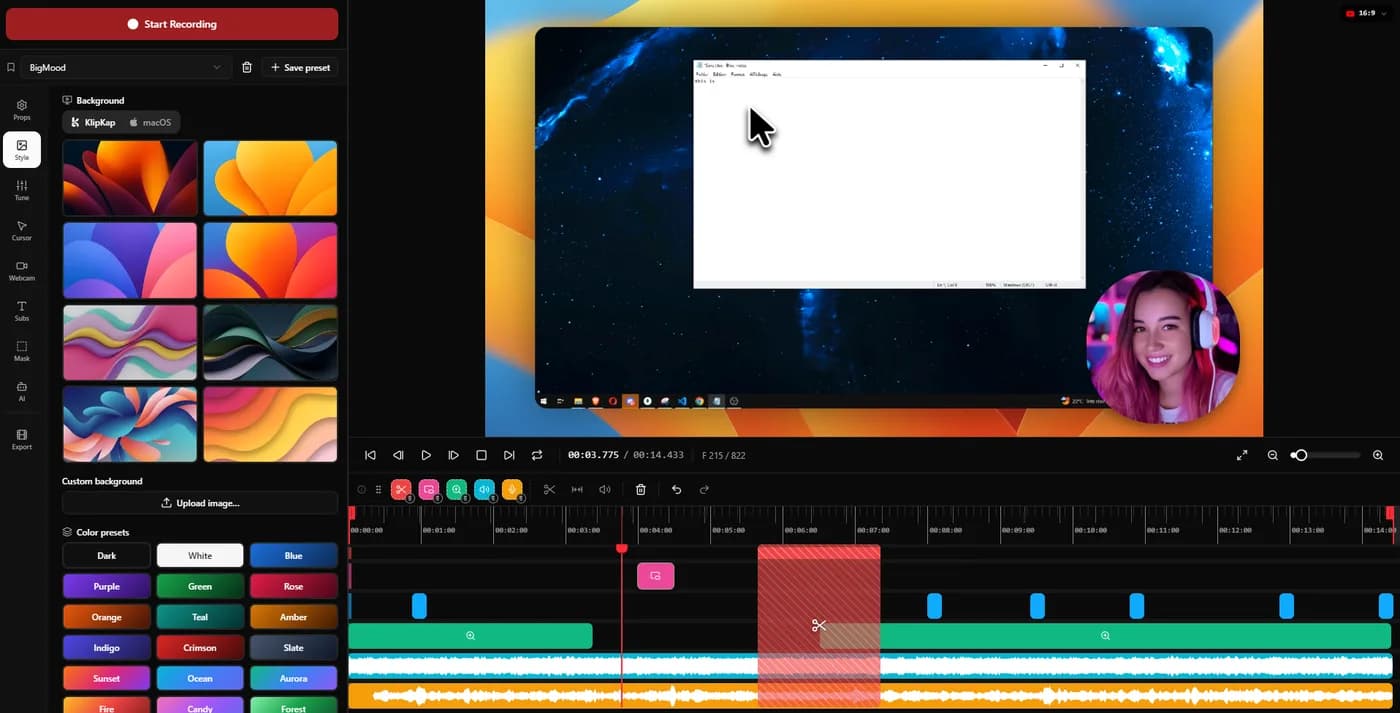
Whether you can change the motion after the take
Some tools treat the automatic pass as final and some treat it as a first draft. Neither is wrong, and the choice decides what happens when a zoom lands on the wrong thing: a quick fix, or a re-record.
KlipKap Pro
A first draft, by design. Three dials for the defaults, per-zoom retargeting to a fixed point, and captions and audio repair on the same timeline, so a bad take is corrected rather than repeated.
Screen Charm
Screen Charm is built for one clean take with smooth zoom, click feedback and a MacBook frame, and offers few corrections after the fact on purpose. That is what keeps it quick, and it suits a recording that goes right first time.
KlipKap Pro if your takes need fixing, Screen Charm if they do not. Be honest with yourself about which you are.
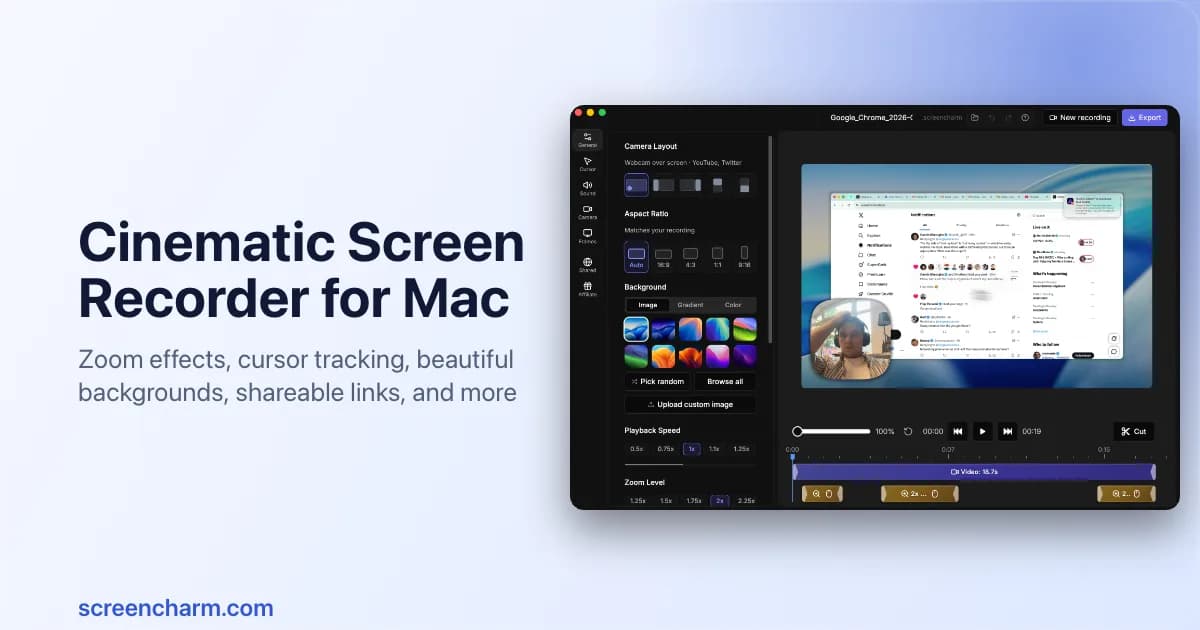
Which machines it runs on
Before any feature matters, the application has to start. Teams are rarely all on one platform, and a tool half the team cannot open produces recordings that do not match.
KlipKap Pro
Windows 10 and 11, and macOS 13 Ventura or later, with the same features, the same interface and the same price on both.
Screen Charm
Screen Charm is macOS only. For a Windows machine it is not a purchase decision at all.
KlipKap Pro. This row ends the comparison outright for a large share of readers, and it does not rest on judgement.
How much of the job the app covers
Cinematic zoom gets you a good-looking capture. A finished video usually also needs captions, clean audio and the right aspect ratio, and each of those handled elsewhere is another tool and another export.
KlipKap Pro
Capture with region cropping and pause-resume, three-axis auto-zoom, twelve cursor styles, on-device captions with word-level highlighting, six voice repair controls, automatic silence removal, and six export ratios.
Screen Charm
A single-take workflow with smooth zoom, click feedback, microphone enhancement, backgrounds and a MacBook frame, with unlimited 4K export. Captions, granular audio repair and silence trimming are not part of it.
KlipKap Pro. Screen Charm is not worse at what it does; it does less, and the remainder lands on you.
Recording something longer than one take
Anything past two or three minutes rarely survives a single attempt. Whether the tool lets you pause, or expects you to get it right in one pass, decides how a long tutorial actually gets made.
KlipKap Pro
Recording is controlled from the tray once the window hides itself. Pause, resume, and the segments are stitched back together automatically with no edit.
Screen Charm
Built around a focused single-take workflow, which is a deliberate design choice and part of why the tool stays simple.
KlipKap Pro for anything long or unscripted. Screen Charm for a short, well-rehearsed piece.
Repairing the audio you actually recorded
A good take with bad audio is an unusable take, and re-recording is the expensive fix. What matters is whether the repair lives in the same application or means exporting to something else.
KlipKap Pro
Six controls applied at export rather than baked in: cleanup for low-frequency rumble, adaptive noise suppression, bass boost, voice clarity, voice boost and a de-esser around 7 kHz. Silent stretches are detected and removed automatically, which is the biggest single saving on a long unscripted take.
Screen Charm
Microphone enhancement is included and handles ordinary room noise. Granular voice controls and automatic silence removal are not part of the product.
KlipKap Pro. One-button cleanup covers the ordinary case; six controls plus silence trimming cover the take you would otherwise shoot again.
What the one payment buys
Both are bought rather than rented, which settles the harder question. What remains is the amount and what it covers.
KlipKap Pro
$25.49 once, updates included, on both platforms, with a permanent free tier to test first.
Screen Charm
$79 once with lifetime updates and unlimited 4K export, macOS only, and no free tier.
KlipKap Pro, at roughly a third of the price and on twice the platforms.
Current plans
KlipKap Pro
- Pro: $25.49 once, updates included, no renewal
- Free: permanent, 720p with a watermark, no time limit
- Windows 10/11 and macOS 13 or later, same price on both
- One account, unlimited machines, no device count to manage
- 14-day money-back guarantee
Screen Charm
- $79 once, lifetime updates
- Unlimited 4K export
- No free tier
- macOS only
When to choose KlipKap Pro
Whether the motion is yours to change
Screen Charm is built for one clean take, and it is honest about the trade: you accept the zoom and the click feedback as shipped, because not offering corrections is what keeps it fast. That suits a certain kind of recording exactly. KlipKap Pro assumes the opposite, that the automatic pass will be wrong two or three times in a two-minute demo and that fixing those is a minute's work rather than a re-record. Three dials, per-zoom retargeting, and an engine written in-house so the behaviour underneath can move when it needs to.
You are on Windows, or a mixed team
Screen Charm is macOS only, so half a mixed team cannot open it and the recordings will not match.
You need captions and clean audio
On-device transcription with word-level highlighting, six voice controls and automatic silence removal, none of which Screen Charm offers.
You record in more than one take
Pause from the tray and resume, with the segments joined automatically.
When Screen Charm is the better fit
You want as few decisions as possible
A deliberately narrow tool with fewer settings to get wrong. If a short polished take is all you make, that simplicity is the feature.
Lifetime updates on a Mac
$79 once with lifetime updates and unlimited 4K export is a clean offer with no version cliff.
The MacBook frame is what you want
Its device framing and layout presets are pitched squarely at Mac-native product marketing, and they look the part.
Can you use both?
No. They occupy the same slot, and owning two screen recorders mostly means deciding which to open each time.
Frequently asked questions
- Is KlipKap Pro cheaper than Screen Charm?
- Yes, $25.49 once against $79 once, and both include updates. Price is the least interesting difference though: Screen Charm is built for a single clean take and deliberately offers few corrections afterwards, while KlipKap Pro assumes the automatic pass will need fixing and gives you the controls to do it. Buy on which of those describes your recordings, not on the $53.
- Does Screen Charm work on Windows?
- No, it is macOS only. On Windows the realistic options with automatic zoom are KlipKap Pro and FocuSee.
- Does Screen Charm do captions?
- Captions and granular audio repair are not part of the product; it focuses on zoom, cursor feedback, backgrounds and framing. KlipKap includes on-device captions with word-level highlighting.
Related comparisons
vs KlipKap Pro vs Screen StudioCross-platform licence against a Mac-only subscriptionvs
 KlipKap Pro vs CursorClipTwo one-time purchases, one of them Mac onlyvs
 KlipKap Pro vs FocuSeeWhat a lifetime licence actually coversvs
 KlipKap Pro vs Tight StudioOn-device AI against metered creditsvs
 KlipKap Pro vs TellaDocumenting the interface against framing the presentervs
 KlipKap Pro vs LoomProducing video against sending itvs
 KlipKap Pro vs CapOpen source against a finished workflowvs
 KlipKap Pro vs CamtasiaA demo tool against a course toolvs
 KlipKap Pro vs OBS StudioEditing after against broadcasting livevs
 KlipKap Pro vs CleanShot XVideo production against screen capture
Disclosure: this article is published by the team behind KlipKap Pro, one of the tools compared. Every price and platform claim is sourced below so you can check it rather than take our word for it. KlipKap has a free tier if you want to test it against the alternatives yourself.
Sources
Prices and platform support come from each vendor’s own pricing page, linked below. Software changes; if you spot something out of date here, tell us at contact@klipkap.pro and we will correct it.