5 Tella alternatives, compared
Every price comes from the vendor’s own page, linked at the bottom
Tella is built around you on camera: backgrounds, layouts, webcam framing. The mismatch shows up when the interface is the subject rather than the presenter, when the footage cannot go through a browser, or when seven days is not long enough to judge a tool you use occasionally. For screen-led work, KlipKap Pro at $25.49 once is the closest fit.
Quick comparison
| Tool | Platforms | Pricing | Year one | Free tier |
|---|---|---|---|---|
 KlipKap Pro KlipKap Pro | Windows 10/11, macOS 13+ | $25.49 once | $25.49 | Permanent, 720p with a watermark |
 Tella Tella | macOS, Windows, Chrome extension | $13/user/mo billed annually | $156/user/year | 7-day trial of the full Pro plan |
 Screen Studio Screen Studio | macOS only | $9/mo billed annually | $108/year | None |
 FocuSee FocuSee | Windows and macOS | $49.99/yr, or $199.99 lifetime | $49.99/year | None |
 Tight Studio Tight Studio | macOS only | $9/mo (Plus) or $24/mo (Pro) | $108/year | Free forever, no watermark |
 Loom Loom | Web, desktop app, browser extension | $15/creator/mo billed annually | $180/creator/year | 25 videos per creator, 5 minutes each |
Cheapest paid tier at the time of writing, in USD. Per-seat products are shown for one seat. This table sticks to platforms and pricing, which anyone can check on the linked pages.
Where Tella stops fitting
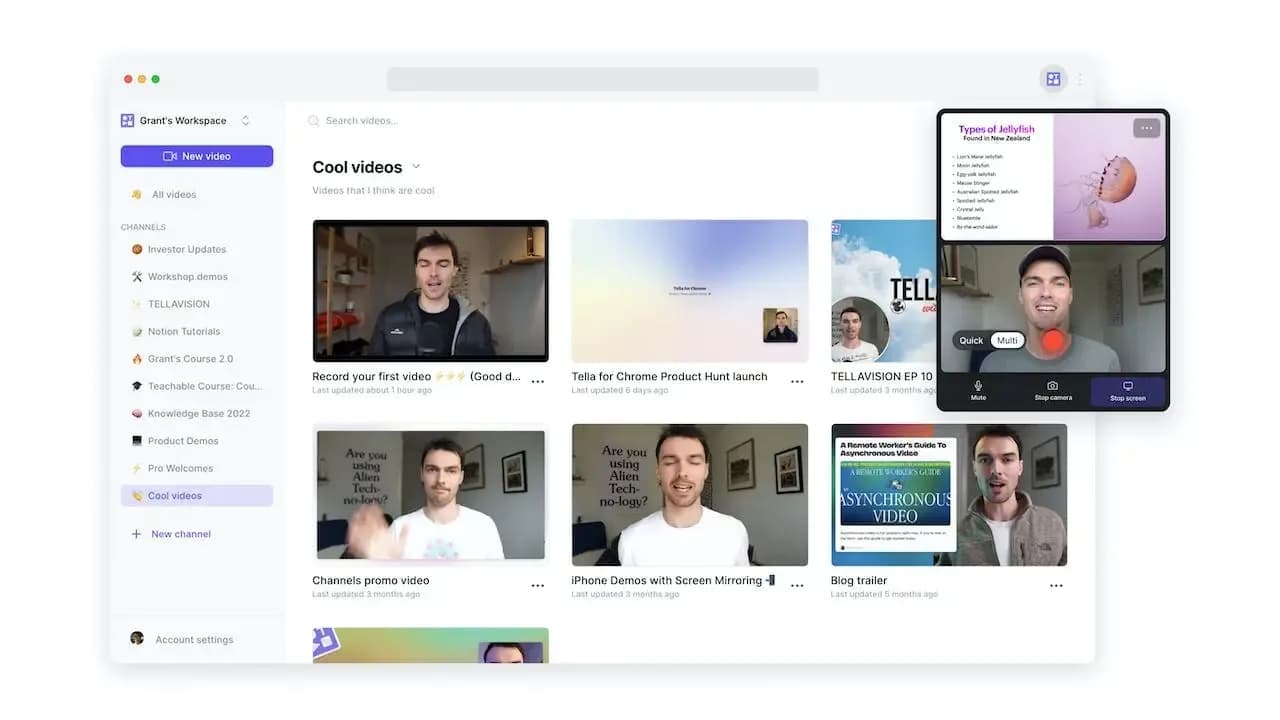
Tella is good at what it set out to do. A founder recording an announcement, a creator shooting a course intro: the layouts and framing produce something that looks made without opening an editor. If that describes your work, this page probably is not for you.
The mismatch appears when the subject changes. Documenting a settings page or walking through a checkout flow needs zoom that follows the cursor into small interface details, and a pointer that moves deliberately rather than the way hands actually move. That is a different discipline from framing a face well, and the tools are built differently as a result.
Two practical things come up as well. It is browser-first, so recordings pass through the cloud, which is a conversation you would rather not have if the screen contains customer data. And the way in is a seven day trial rather than a free tier, which is a short window in which to evaluate a tool you might only reach for once a month.
1. KlipKap Pro
Ours, so weigh it accordingly. It is built for the case where the screen is the subject: zoom placed automatically around clicks with adjustable depth and tracking, cursor motion smoothed, and the pointer redrawn at export from twelve styles with size, shadow and tilt.
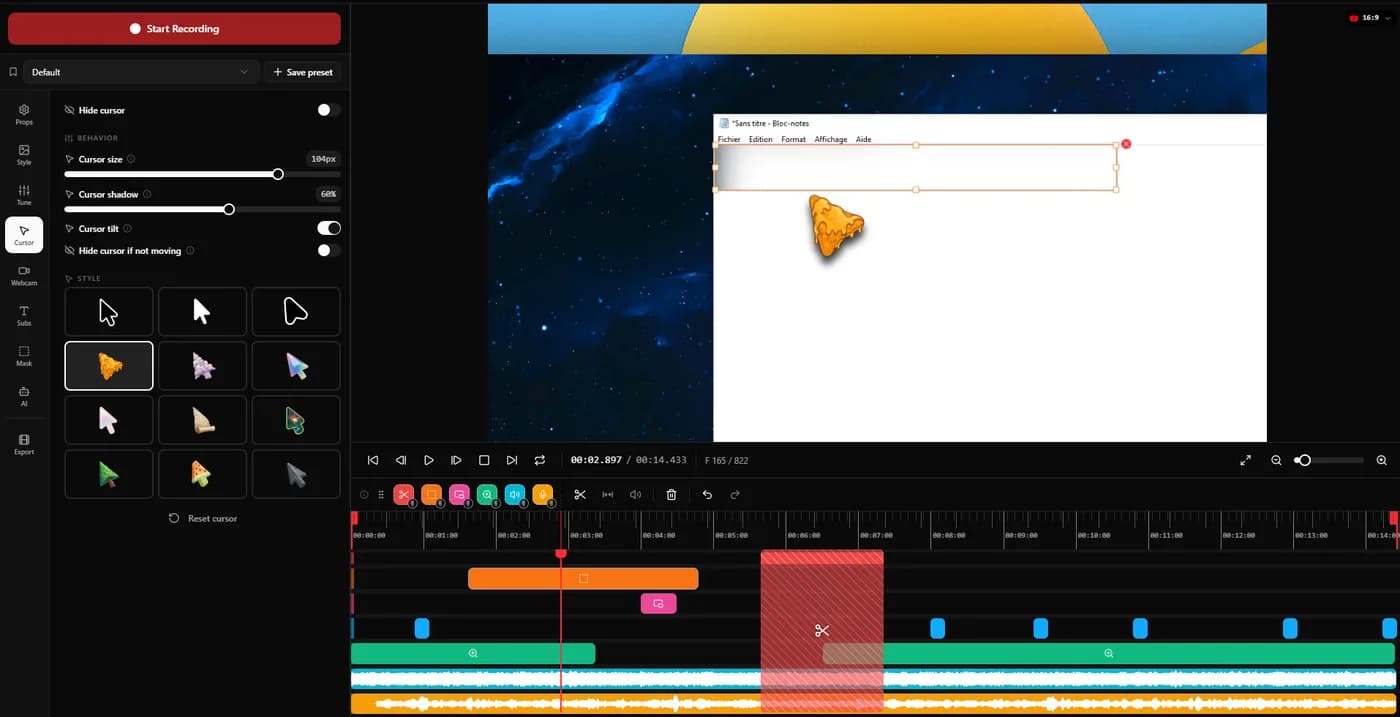
Recording, editing and transcription all happen on the machine, with nothing uploaded. It is $25.49 once on Windows and macOS, with a permanent free tier at 720p rather than a countdown.
Trade-offthe webcam is a positioned inset with adjustable size, shape and digital zoom, not Tella’s layout system. If your face is the main frame rather than a corner of it, Tella does that better and it is not close.
2. Screen Studio
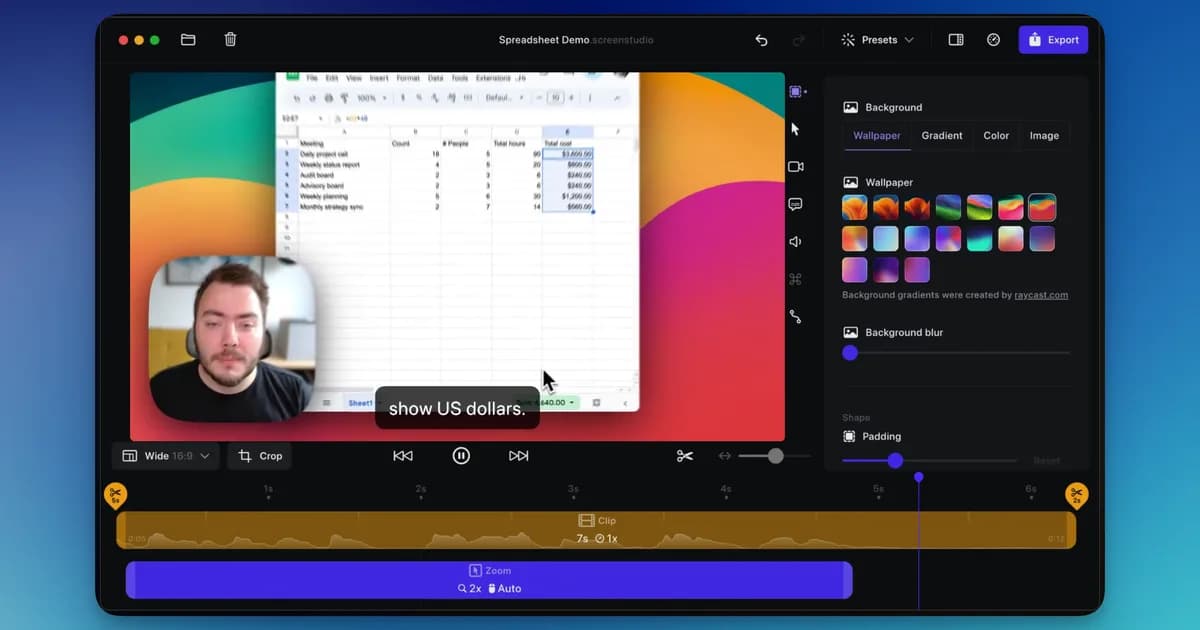
A mature macOS app with automatic zoom and cursor smoothing, sold as an annual subscription.
Trade-off It is macOS only, with no Windows build at any price, and it is rented rather than bought. The subscription renews whether you recorded anything that year or not.
3. FocuSee
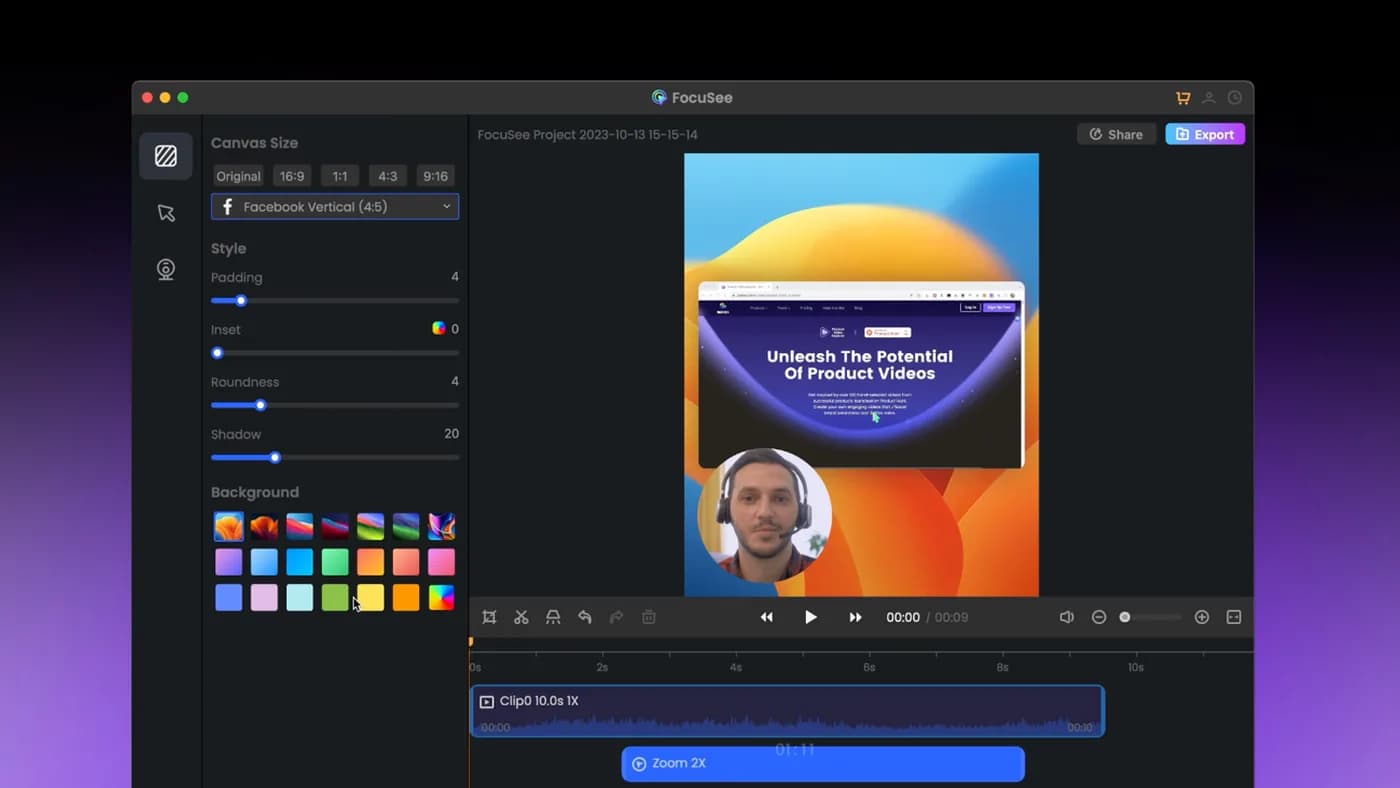
The closest competitor on paper: automatic zoom on cursor clicks, dynamic backgrounds, and it genuinely runs on Windows as well as Mac.
Trade-off The lifetime licence covers version 2.x only, with the next major version sold as a paid upgrade, and its AI credits expire after a year. 'Lifetime' has a narrower meaning than it first appears.
4. Tight Studio
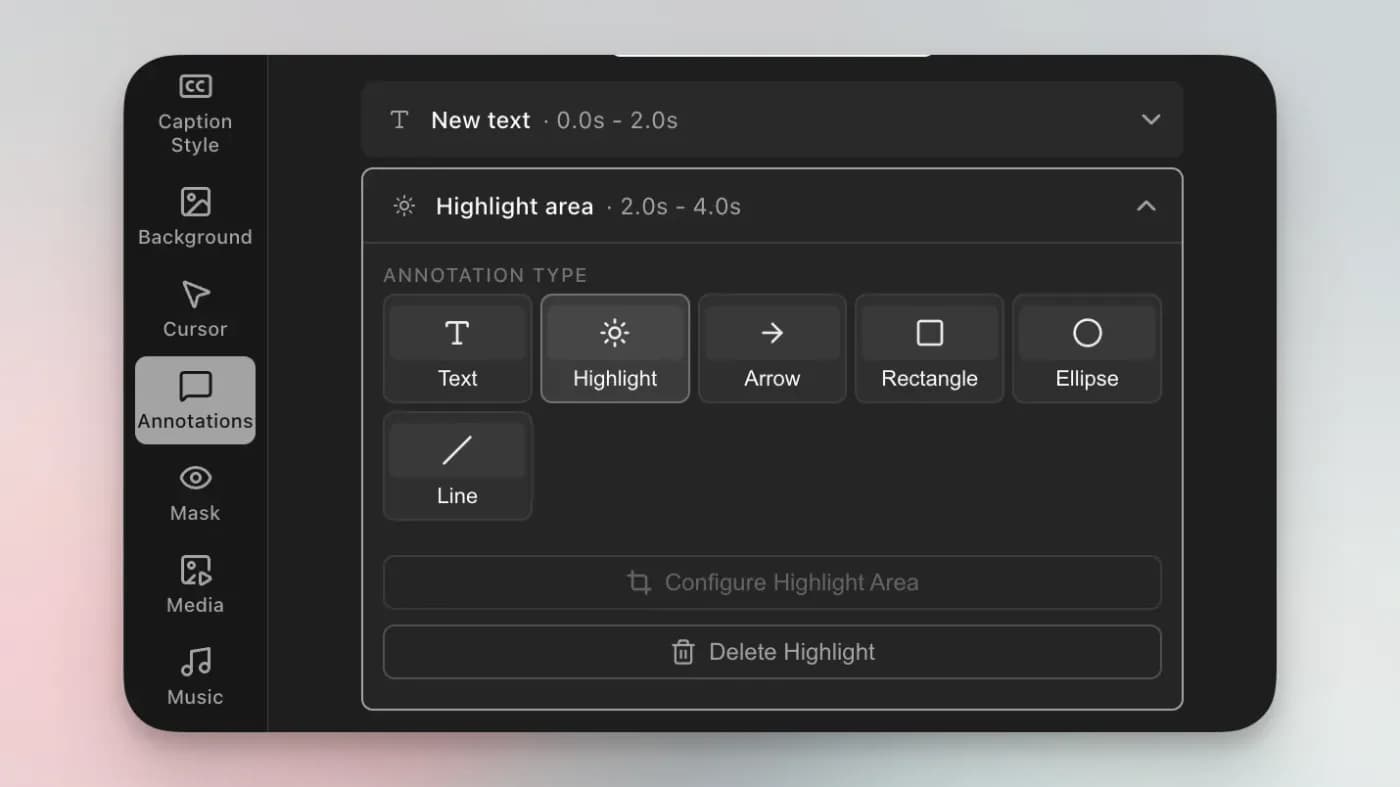
Its zooms stay editable after recording, and each one can flip between cursor tracking and manual framing. AI voiceover with voice cloning and an on-screen teleprompter are unusual additions.
Of everything here it overlaps most with Tella, since both pair screen recording with AI voice work. On a Mac it is worth trying before paying for anything, because the free tier is genuinely usable.
Trade-off macOS only, with Windows still a waitlist rather than a build, and narrower than that: its own FAQ states “Currently we support Mac Apple chip only”, so an Intel Mac cannot run it at all. The AI features that distinguish it are metered on the free tier and gated to Pro at $24 a month.
5. Loom
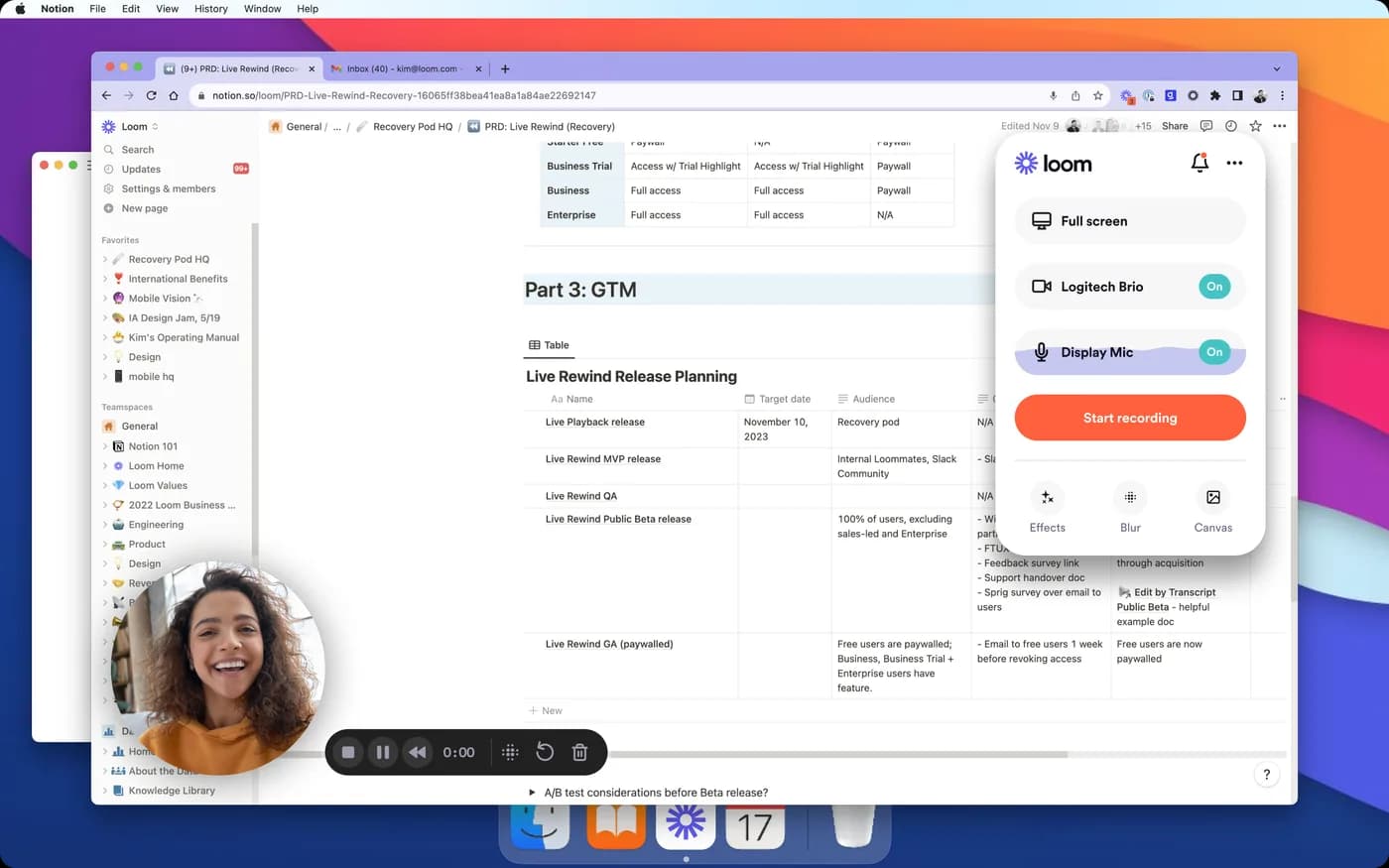
Unbeatable for async messaging. Record, stop, and the shareable link is already in your clipboard. Nobody exports anything, and viewers do not need an account.
Trade-off Recordings live on Loom's servers, the free tier caps videos at five minutes, and the polish is deliberately minimal: no cinematic zoom, no cursor smoothing. It is a communication tool, not a demo-production tool.
Which one to pick
The screen is the subject. KlipKap Pro on either platform, FocuSee if you need one licence across several machines, Screen Studio if you are Mac-only and happy to subscribe.
You are the subject. Stay on Tella. Nothing here replaces its layouts, and leaving to save $13 a month while losing the thing that made your videos work is a poor trade.
You want AI narration too. Tight Studio is the nearest match, with voice cloning and a teleprompter, on macOS.
You just need to send it. Loom, probably on the free tier.
Frequently asked questions
- Is there a Tella alternative with a permanent free tier?
- KlipKap's free tier is permanent rather than a seven-day trial, runs on Windows and Mac, and exports 720p with a watermark. A couple of the macOS-only tools here also have free tiers.
- What is the best Tella alternative for screen demos?
- If the video is mostly your interface rather than your face, the tools built around cursor zoom do a better job: KlipKap Pro at $25.49 once, FocuSee, Screen Studio on a Mac, or Tight Studio. Tella's strength is framing the presenter.
- Is there a Tella alternative that is not a subscription?
- Yes. KlipKap Pro is $25.49 paid once with updates included, and FocuSee sells a $199.99 lifetime licence for version 2.x. Screen Studio, Tight Studio and Loom are all subscriptions.
- Which alternatives record locally instead of in a browser?
- KlipKap Pro, Screen Studio, FocuSee and Tight Studio are all desktop applications. That matters if your recordings contain data that should not be uploaded to a third party.
- Does anything replace Tella's backgrounds and layouts?
- Not properly. Camera framing and layout presets are what Tella is for, and the screen-first tools approach video from the other end. If talking-head presentation is the point of your videos, switching costs you the thing you were paying for.
Disclosure: this article is published by the team behind KlipKap Pro, one of the tools compared. Every price and platform claim is sourced below so you can check it rather than take our word for it. KlipKap has a free tier if you want to test it against the alternatives yourself.
Sources
Prices and platform support come from each vendor’s own pricing page, linked below. Software changes; if you spot something out of date here, tell us at contact@klipkap.pro and we will correct it.