The best Screen Studio alternatives in 2026
- Screen Studio
- alternatives
- comparison
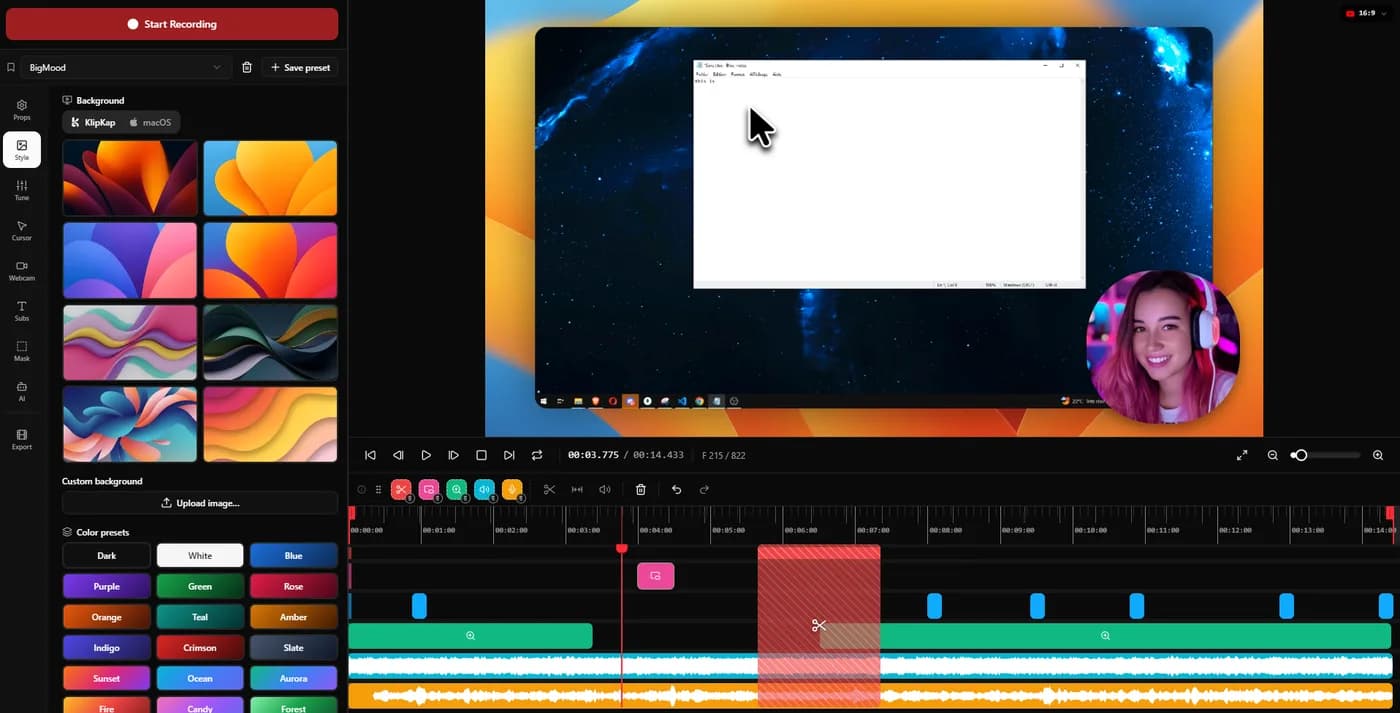
KlipKap Pro is the strongest Screen Studio replacement on both Windows and macOS. Screen Studio runs on macOS only and is sold as a subscription: its one-time licence was withdrawn for new customers in October 2025. KlipKap Pro does the same automatic zoom and cursor work, is bought once rather than rented, runs on x64 and ARM64 including Intel Macs, and keeps its AI on your own machine. On macOS, CursorClip and Screen Charm are the next strongest.
Why people go looking for an alternative
Screen Studio is a good product. It more or less invented the category this article is about: record a screen, and have the zooms, the cursor smoothing and the framing applied for you rather than keyframed by hand. Nobody is looking for a replacement because the software is bad.
They are looking for three specific reasons, and it is worth being clear about which one is yours, because the three lead to different answers.
The first is the platform. Screen Studio is macOS only. There is no Windows build at any price, and the company has never announced a date for one. If you are on Windows, no amount of feature comparison matters: the product does not exist for you, and roughly two thirds of this list drops away with it.
The second is the licence. Screen Studio used to sell a one-time licence. It stopped selling one to new customers in October 2025; existing keys still work. If you bought software once and expected to keep it, the thing you are actually shopping for is a perpetual licence, not a feature.
The third is simply the running cost. A subscription renews whether you recorded anything that year or not, and most people making product demos are not making them every week.
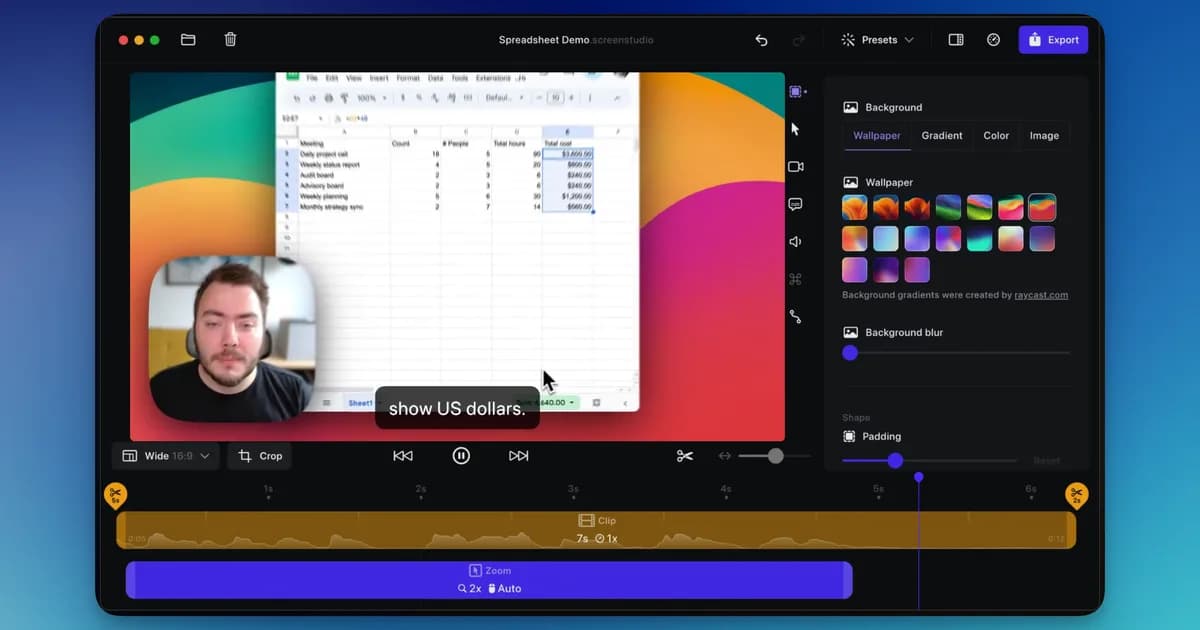
Screen Studio runs on macOS only, and its one-time licence has not been available to new customers since October 2025.
The alternatives at a glance
Platform first, because for most readers it settles the question before price does. Prices are per the vendor's own page on the date shown at the foot of this article.
| Tool | Platforms | Pricing model | Best for |
|---|---|---|---|
| KlipKap Pro | Windows, macOS | One-time | Paying once and staying on either platform |
| CursorClip | macOS | One-time | A Mac perpetual licence |
| Tight Studio | macOS | Free tier + subscription | Editable zooms, Apple Silicon only |
| FocuSee | Windows, macOS | Subscription + lifetime | The closest feature match on Windows |
| Screen Charm | macOS | One-time | A deliberately narrow one-take workflow |
| Cap | Windows, macOS, Linux | Open source + paid tiers | Reading or self-hosting the code |
| Tella | Windows, macOS, web | Subscription | Presenter-led video |
| Loom | Windows, macOS, web | Subscription | Sending video, not producing it |
| Camtasia | Windows, macOS | Subscription | Courses and training |
| OBS Studio | Windows, macOS, Linux | Free | Capture and live streaming |
The ten, in detail
1. KlipKap Pro
Best overall replacement, on Windows and macOS alike
- Platforms
- Windows 10/11, macOS 13+
- Price
- $25.49 once
The one on this list built to do the whole job on either platform for a single payment, with nothing metered and nothing uploaded.
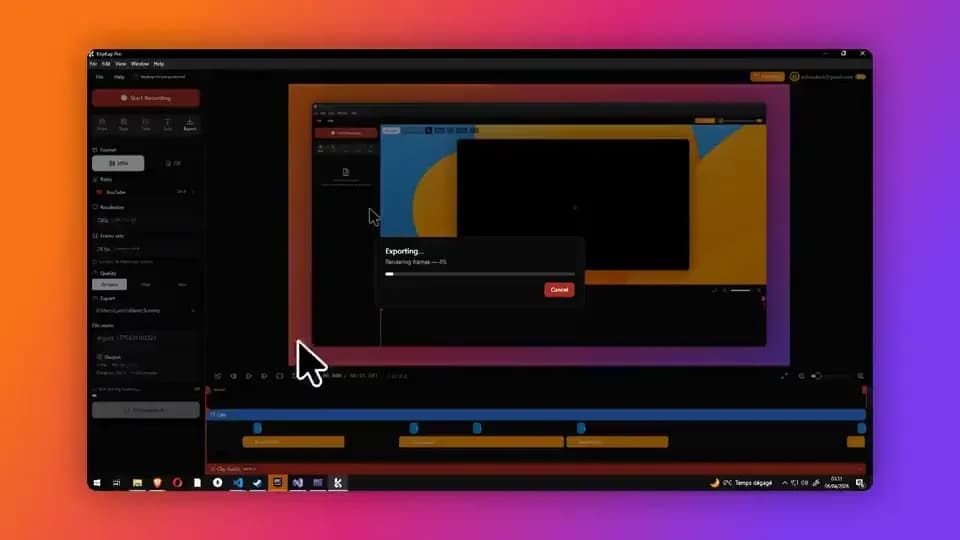
What it does is the Screen Studio pattern: automatic zoom on every click, cursor smoothing, a background and padding applied to the recorded window, and a timeline to fix the two or three zooms that landed in the wrong place. The parts that differ are the business model and where the processing happens. It is a one-time purchase covering all future updates, it ships for Windows 10 and 11 as well as macOS 13 and later, and the AI passes run on your own machine.
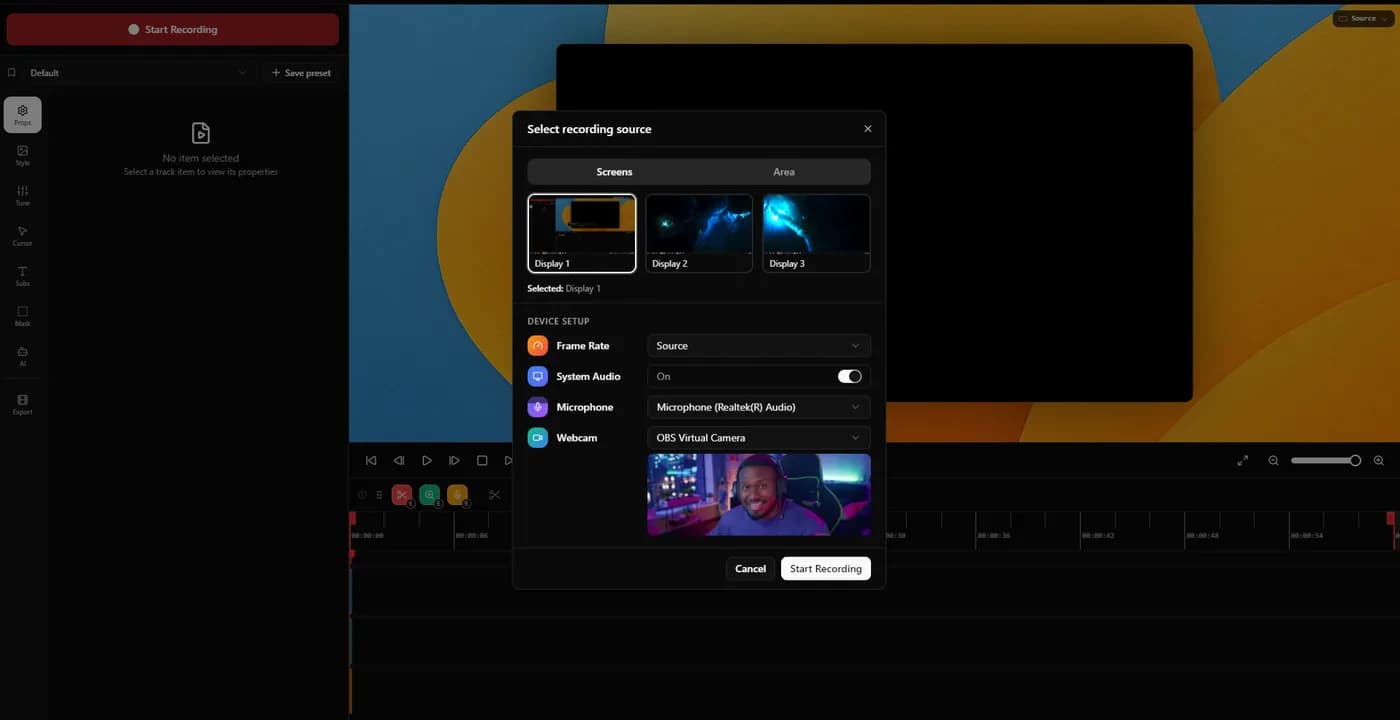
That last part is the concrete difference rather than a slogan. Subtitles are transcribed locally in over fifty languages, with no API key, no account and no per-minute credits to run out of, and the noise removal is the same. Recording, editing, transcription and export all execute on your device; the footage is not uploaded. The app does need a connection to download itself, activate a licence and export with a Pro account.
The free tier is permanent rather than a trial: 720p with a watermark, keeping auto-zoom and cursor smoothing, which is enough to judge whether the zoom feels right before paying anything.
In its favour
- One account covers every machine you own, Windows and macOS, with no device limit
- A bespoke effects engine, written from scratch rather than built on a shared foundation
- One payment, all future updates, no renewal
- Windows and macOS from the same licence
- Subtitles and noise removal run on your machine, with no credits
- Permanent free tier rather than a countdown
What you give up
- No Linux build. One is in development; nothing is downloadable today
- It exports a file rather than handing you a share link
- A newer product than Screen Studio, with a smaller track record behind it
2. CursorClip
Best Mac-only perpetual licence
- Platforms
- macOS 13.5 or later
- Price
- $70 once, or plans from $9/month
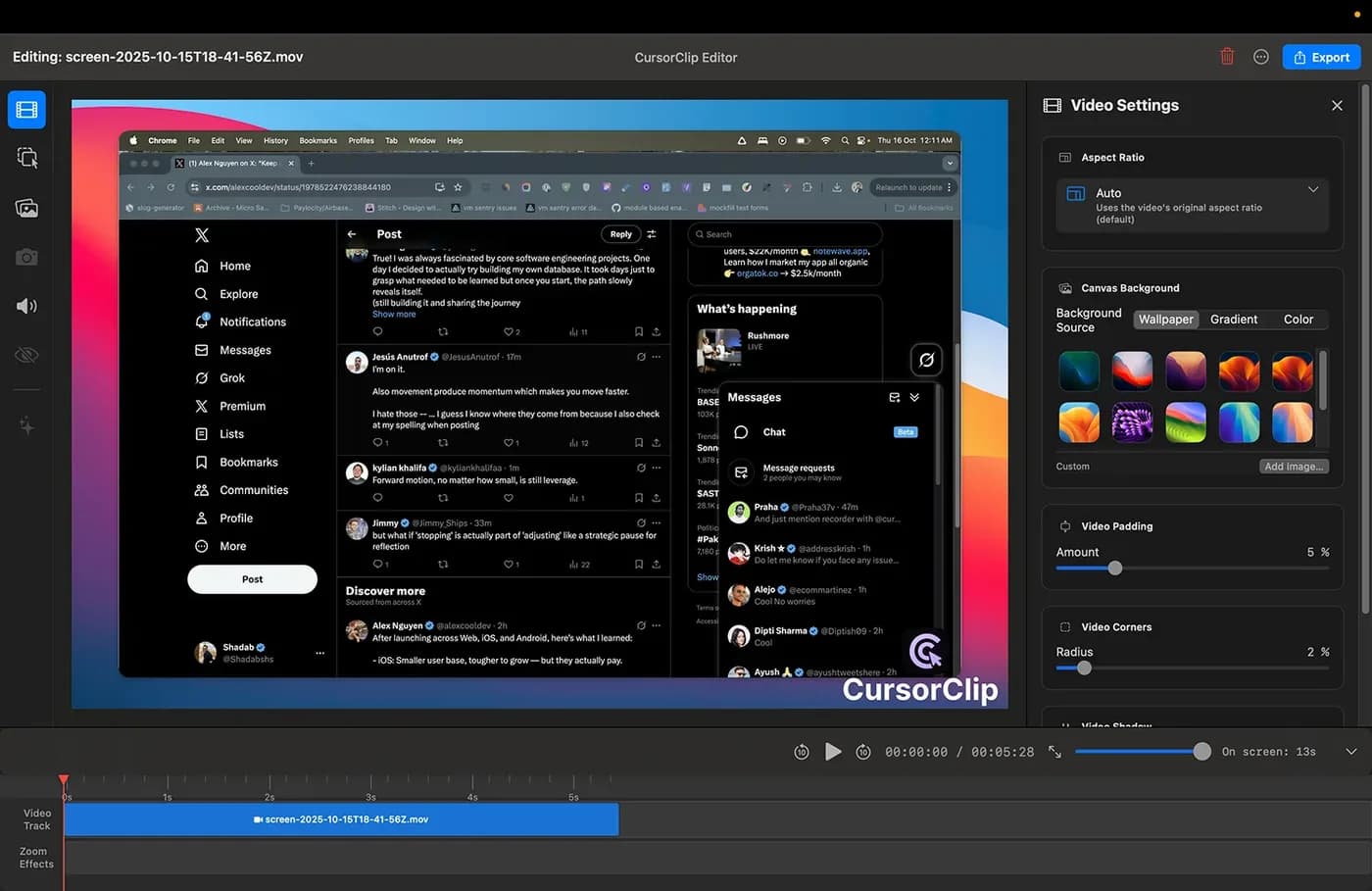
The closest match to Screen Studio in spirit, and the closest to us on business model: pay once, keep it, no cloud account. Cursor-follow auto-zoom is the entire point of the product rather than one feature among many, and it exports 4K at 60fps to MP4 or GIF.
The free mode is unusually well judged. You can record and edit the whole way through without an account, and it only asks for money at export, which means you evaluate the actual workflow rather than a feature list.
The caveat is platform and price direction. It requires macOS 13.5 or later and the site states no Windows version is planned. Its price also moves: it read $59 before rising to $70, though existing customers keep the price they paid.
In its favour
- One payment, no subscription, no account
- Free until export, so the trial is the real workflow
- Small native app, 4K 60fps output
What you give up
- macOS 13.5 or later; no Windows version planned
- Rose in price within ten days of our first check
- Narrower than the general editors: it does one thing

3. Tight Studio
Editable zooms, on Apple Silicon Macs only
- Platforms
- macOS on Apple Silicon only, Windows on a waitlist
- Price
- $9/month (Plus) or $24/month (Pro), both billed yearly
The narrowest platform requirement in this article, and the one worth checking before anything else: its own FAQ states that it supports Apple chip Macs only. An Intel MacBook still in service cannot run it, and there is no Windows build.
It is also technically interesting: zooms stay editable after recording, and each one can be flipped between following the cursor and being pointed at a fixed spot. AI voiceover with voice cloning and an on-screen teleprompter are unusual inclusions at any price.
The AI features that distinguish it, the voiceover with voice cloning and the teleprompter, are metered on the free tier and gated to the top plan at $24 a month. Whatever the recording tier includes, the parts that make it interesting are the metered parts.
In its favour
- Teleprompter and AI voiceover are rare at this price
What you give up
- macOS ARM64 only
- The AI features are metered free and gated to the top tier
4. FocuSee
Closest feature match that actually ships on Windows
- Platforms
- Windows and macOS
- Price
- $49.99/year (Standard), $79.99/year (Advanced), $199.99 lifetime
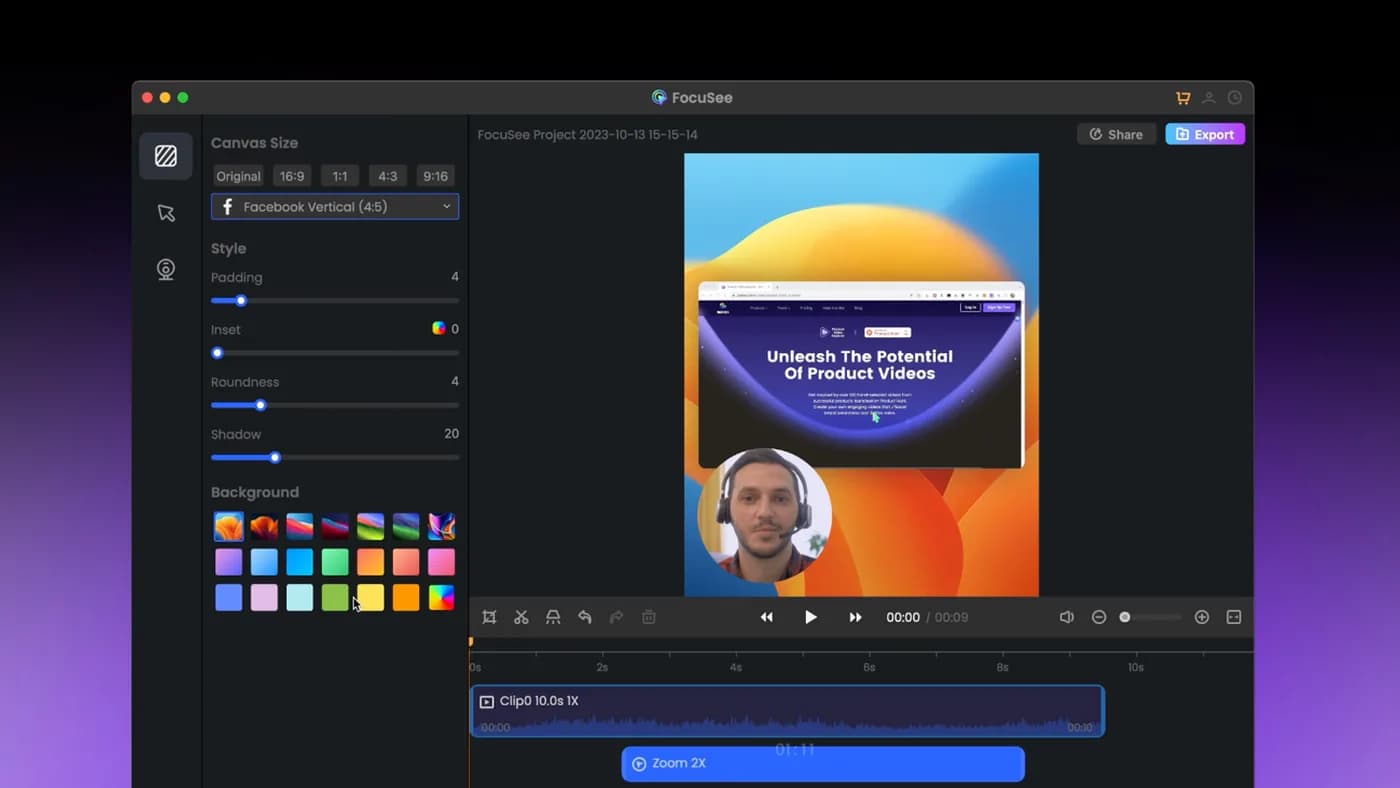
On paper this is the nearest thing to Screen Studio that runs on Windows: automatic zoom on cursor clicks, dynamic backgrounds, and a real Windows build rather than a promise of one.
Read the lifetime licence carefully before you treat it as a one-time purchase. It covers version 2.x, with the next major version sold as a paid upgrade, and the AI credits included with it expire after a year. That is a legitimate way to sell software, but 'lifetime' is doing narrower work here than the word suggests, and it is the single most common misreading in this category.
In its favour
- Genuine Windows and macOS builds
- Auto-zoom and backgrounds close to the Screen Studio pattern
- A lifetime option exists, unlike Screen Studio
What you give up
- The lifetime licence covers one major version, not all future ones
- Its AI credits expire annually
- No permanent free tier

5. Screen Charm
Best deliberately narrow Mac workflow
- Platforms
- macOS only
- Price
- $79 once, lifetime updates
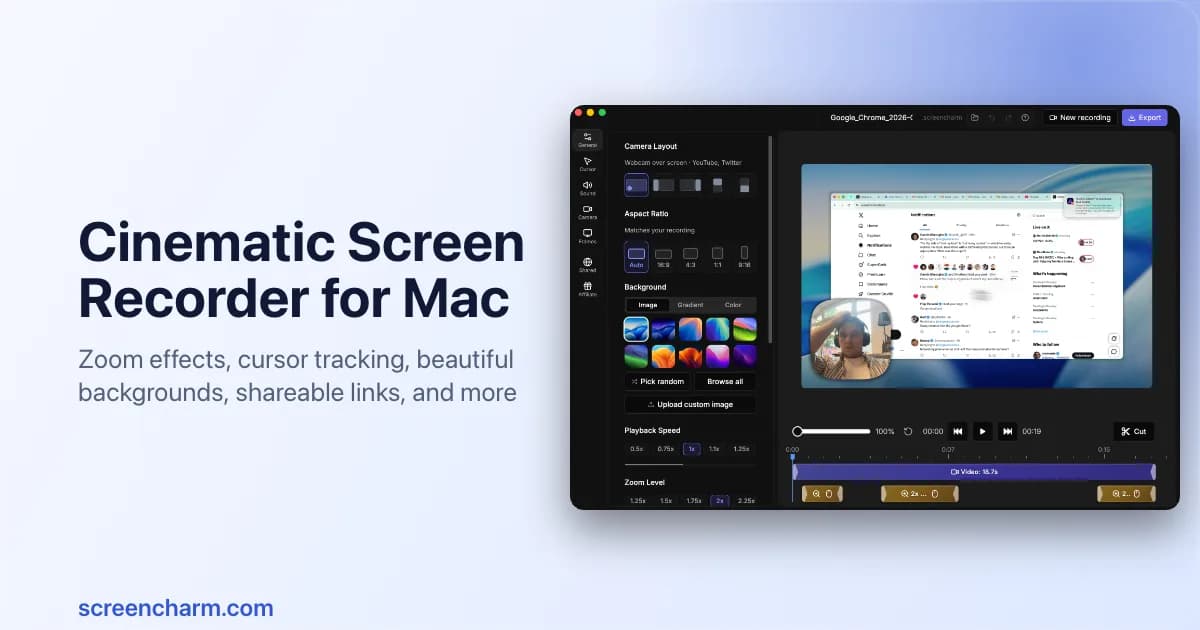
A single-take tool with smooth zoom, click feedback and a MacBook frame, sold once with lifetime updates and unlimited 4K export. If what you want is one clean take with no editing afterwards, the narrowness is a feature rather than a gap.
It is macOS only and it is genuinely narrow: one take, few correction controls, and none of the captioning, audio repair or multi-clip assembly that the broader tools include. Know which of those you need before buying.
In its favour
- One payment with lifetime updates
- Unlimited 4K export
- Fast, opinionated, nothing to configure
What you give up
- macOS only
- One take; limited correction after the fact
- No captions or audio repair

6. Cap
Best open source
- Platforms
- macOS, Windows, Linux
- Price
- $29/licence billed yearly (Desktop), or $8.16/user/month (Pro)
Genuinely open source, so the code can be read, audited or self-hosted, and the only tool in this article that also runs on Linux. The free tier is perpetual rather than a trial and includes the full Studio editor.
Two details to get right. The cheapest paid tier is billed yearly rather than sold once, so despite the low headline number it is a subscription. And the free tier is licensed for personal use, which means commercial work (the reason most people are reading this) means paying.
In its favour
- Open source and self-hostable
- Windows, macOS and Linux
- Perpetual free tier with the full editor
What you give up
- The cheap tier is billed yearly, not once
- Free tier is personal use only

7. Tella
Best for presenter-led video
- Platforms
- macOS, Windows, Chrome extension
- Price
- $13/user/month billed annually, or $19/user/month (Premium)
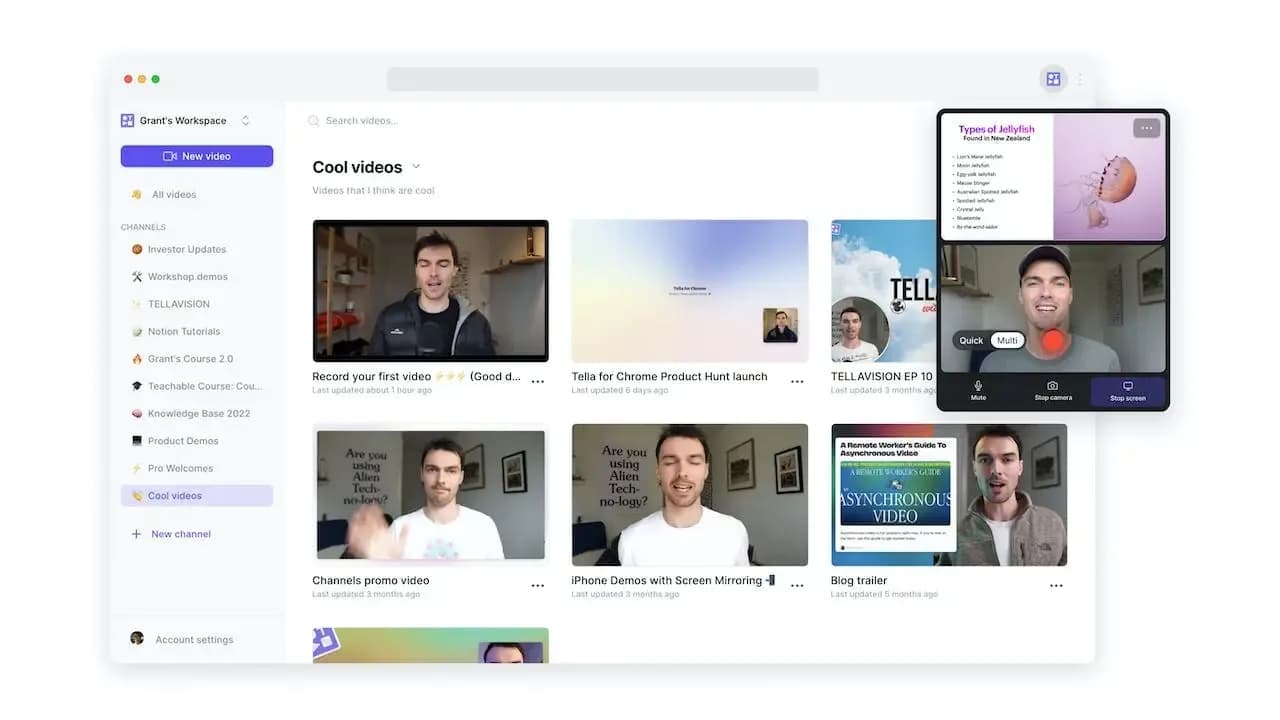
Tella is solving a slightly different problem: it frames the person rather than documenting the interface. Backgrounds, layouts and webcam framing make a talking-head recording look produced without opening an editor, which is why it is strong for founder videos and course intros.
It is browser-first and subscription-only, with a seven-day trial rather than a free tier. After a week it is pay or stop.
In its favour
- Layouts and framing built around the presenter
- Runs on Windows, macOS and in the browser
- Very fast from record to a shareable result
What you give up
- No permanent free tier; a seven-day trial
- Billed per user, per month
- Less focused on documenting a UI in detail

8. Loom
Best for sending video rather than producing it
- Platforms
- Web, desktop app, browser extension
- Price
- $15/creator/month billed annually, or $18/month
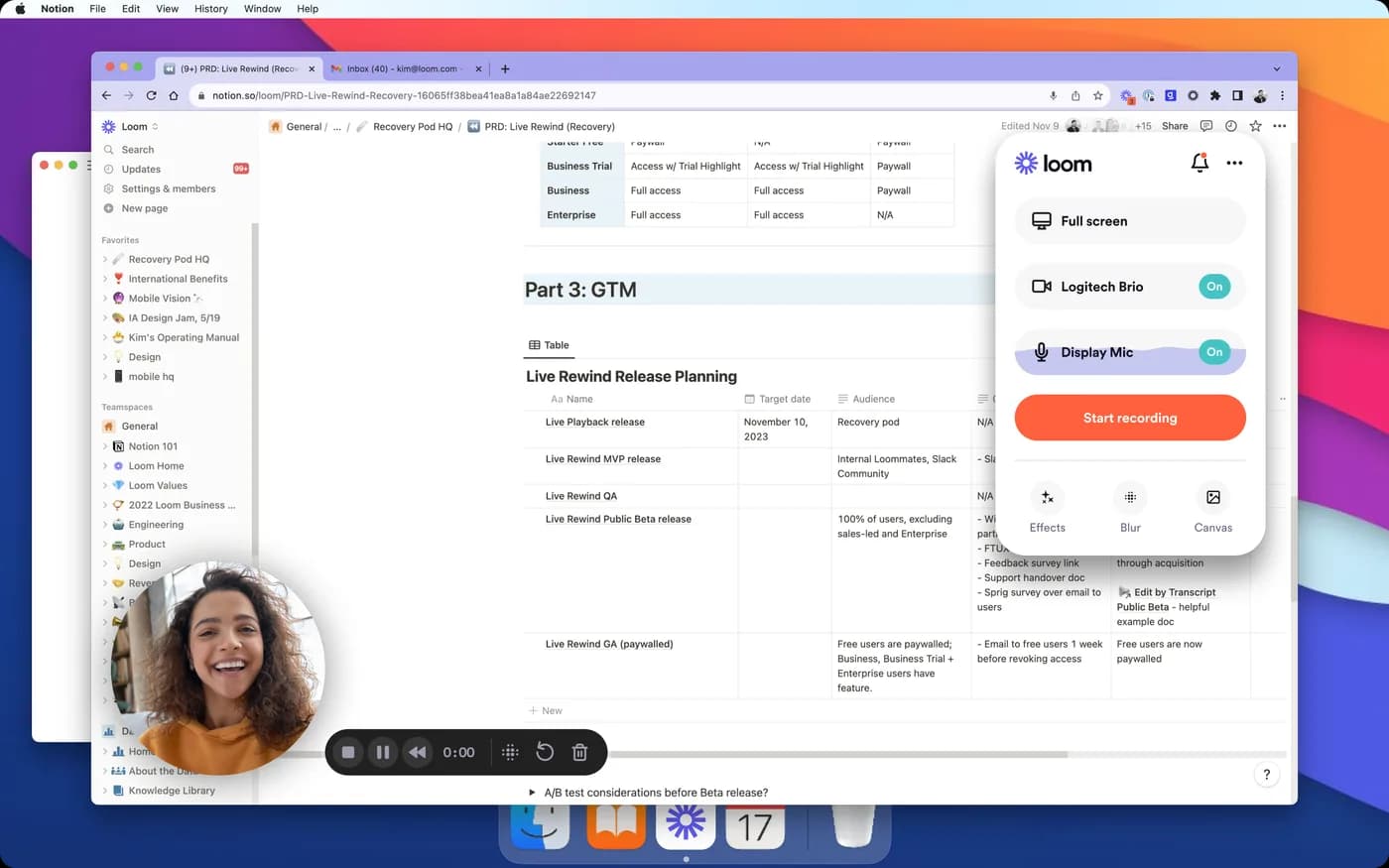
Loom is not really competing with Screen Studio, and treating it as a like-for-like swap is the most common mistake on this list. It is an async messaging tool: record, stop, and the shareable link is already on your clipboard. Nobody exports anything and viewers need no account.
What it does not do is the thing you came here for. No cinematic zoom, no cursor smoothing, minimal polish by design. Recordings live on Loom's servers, which is a straightforward disqualifier if you are recording a customer's screen or an internal system. It also bills per creator, so the cost scales with the team rather than the usage.
In its favour
- Unbeatable for a quick async update
- Link in the clipboard the moment you stop
- Viewers need no account
What you give up
- No automatic zoom or cursor smoothing
- Recordings are stored on Loom's servers
- Priced per creator, so the team is the cost driver

9. Camtasia
Best for courses and training
- Platforms
- Windows and macOS
- Price
- From $179.88/year (Essentials)
Two decades of training-content features: a real multi-track editor, effects, quizzes, SCORM export and detailed audio repair. If your videos are courses rather than demos, nothing else in this article competes.
It is a traditional editor, so the polish is manual. You are keyframing the zooms, which is precisely the work the tools at the top of this list remove. It is also the most expensive option here by a wide margin, and that depth is wasted if all you want is a clean product walkthrough.
In its favour
- A genuine multi-track editor
- Quizzes and SCORM export for training
- Windows and macOS
What you give up
- Zooms are manual work, not automatic
- The most expensive option in this comparison
- Far more tool than a product demo needs

10. OBS Studio
Best free capture, if you bring your own editor
- Platforms
- Windows, macOS, Linux
- Price
- Free
Free, open source, and the standard for live streaming and real-time scene mixing. Nothing commercial matches its control over sources, audio routing and output.
Be honest with yourself about what it is, though. There is no built-in editor, no automatic zoom and no cursor treatment. It captures what happened; turning that into a polished demo means a second tool and a lot of manual work. 'OBS is free' is true and frequently the wrong answer, because the cost moved into your evening rather than disappearing.
In its favour
- Free, open source, no tiers
- Windows, macOS and Linux
- Unmatched control over sources and audio
What you give up
- No editor, no auto-zoom, no cursor smoothing
- A second tool and manual editing are required
- Steep setup for a simple demo
What three years actually costs
Headline prices in this category are not comparable, because some are paid once and some are paid every year. Three years is a fair window (it is roughly how long you keep a tool like this) and it changes the ordering completely.
These totals are ours, derived from the vendor prices sourced at the foot of this page. The arithmetic is shown so you can check it rather than take it on trust. Where a product has several tiers, we used the cheapest paid tier that removes the watermark and allows commercial use.
| Tool | How it is billed | Three-year total |
|---|---|---|
| OBS Studio | Free | $0 |
| KlipKap Pro | $25.49 once | $25.49 |
| CursorClip | $70 once | $70 |
| Screen Charm | $79 once | $79 |
| Cap | $29 a year | $87 |
| FocuSee | $49.99 a year | $149.97 |
| FocuSee (lifetime) | $199.99 once, version 2.x | $199.99 |
| Screen Studio | $108 a year | $324 |
| Tella | $156 a user, a year | $468 |
| Camtasia | $179.88 a year | $539.64 |
| Loom | $180 a creator, a year | $540 |
Over three years, Screen Studio's yearly plan costs $324 against $70 to $79 for the Mac perpetual licences and $25.49 for KlipKap Pro.
If you are on Windows
This is where the list gets short, and it is the reason most people are reading it. Screen Studio does not run on Windows and is not going to this year. Neither do CursorClip, Screen Charm or Tight Studio, the three Mac alternatives people most often recommend without checking who is asking.
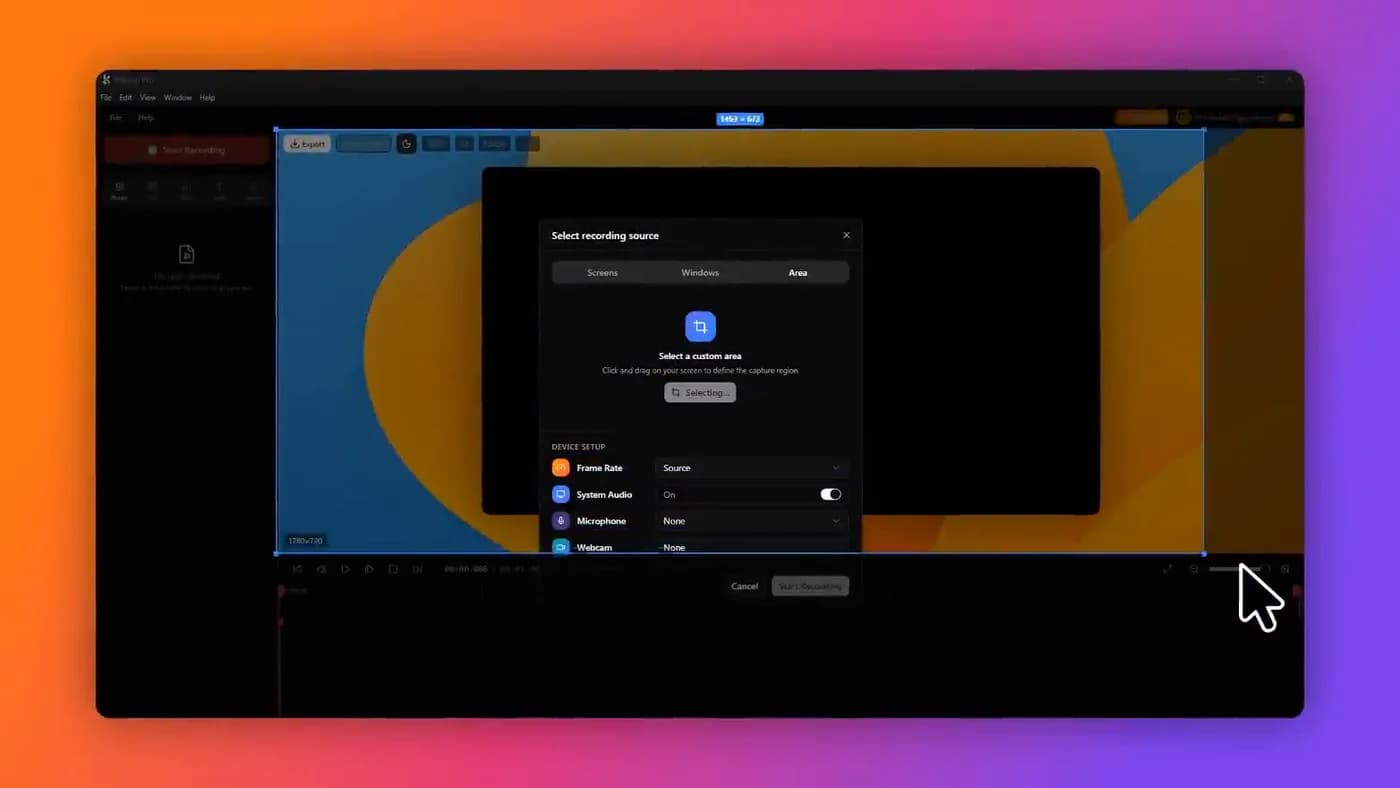
What is left with a real Windows build: KlipKap Pro, FocuSee, Cap, Tella, Loom, Camtasia and OBS Studio. Of those, the ones doing automatic zoom in the Screen Studio sense are KlipKap Pro, FocuSee and Cap.
One correction to a line that circulates a lot: Windows support is no longer a differentiator in this category. It was in 2024. Several tools ship a genuine Windows build in 2026, and any article still framing it as 'they are all Mac-only' is working from stale research.
- Auto-zoom on Windows: KlipKap Pro, FocuSee, Cap
- Free on Windows: OBS Studio, Cap (personal use)
- Not available on Windows at any price: Screen Studio, CursorClip, Screen Charm, Tight Studio
If you are on a Mac
Every option in this article is open to you, which makes the choice about the work rather than about availability. It is also why the Mac answer is the same as the Windows one.
KlipKap Pro is the pick on macOS too. It does what the Mac-only tools do (automatic zoom on every click, cursor smoothing, backgrounds and padding, a timeline for the two or three corrections) and adds three things none of them offers together: one licence that also covers Windows if you move machines or your team is mixed, AI that runs on your own device with no credits and no account, and a price paid once rather than rented. It also runs on Intel Macs, which matters more than it sounds. Tight Studio does not.
CursorClip and Screen Charm are the strongest of the Mac-only options if you want a perpetual licence and are certain you will never need Windows. CursorClip is the closest to Screen Studio's own feel; Screen Charm is the narrowest and the fastest. Tight Studio is the remaining option, though only on Apple Silicon: it will not start on an Intel Mac, and the AI features that distinguish it are metered and gated to its top plan.
What the free options actually cost
Three genuine answers, and they are genuinely different from one another.
Cap is perpetual and includes a full editor, but is licensed for personal use only, so the moment the video is for a client or a company it is a paid tier. OBS Studio is free without qualification and gives you none of the automatic polish, so the finished look is a second application and roughly an hour of keyframing per two-minute demo. Tight Studio has a free tier on Apple Silicon Macs only, with its AI metered and gated to the top plan.
That is the shape of free in this category: it moves the cost rather than removing it. KlipKap Pro's free tier is the one that keeps the automatic zoom and the cursor smoothing on both platforms, so the work you avoid is the work you would otherwise be doing by hand, and the licence that lifts the 720p cap is a single payment.
There is also the tier nobody counts as free: most paid tools here let you do the work and only charge at export. CursorClip is explicit about it, and KlipKap Pro's free tier is permanent at 720p with a watermark. If you are evaluating rather than shipping, that is often enough to answer the only question that matters, which is whether the zoom feels right to you.
What Screen Studio still does better
Screen Studio is more mature than most of this list and its defaults are well tuned out of the box. It invented this category and it still sets the reference for what the finished look should be.
It also has the deepest track record, and 'it has worked for thousands of people for years' is a real consideration when the output is going on a launch page.
What it does not have is an advantage on the thing people most often credit it with. Switching to a 9:16 canvas and having the automatic zoom reframe the content rather than cropping the finished export is not unique to it: KlipKap Pro does the same, across six aspect ratios, and the zoom system is already tracking what matters so it has something to reframe around.
None of that is an argument for renting it indefinitely, on a platform half your colleagues cannot install, when the same output is available for a single payment. Record the same two minutes in both, change nothing, and decide on the exports.
How to choose in under a minute
- On Windows and want auto-zoom: KlipKap Pro, then FocuSee or Cap. The rest of the category is not available to you
- On macOS and want auto-zoom: KlipKap Pro, then CursorClip or Screen Charm. All of them beat renting
- On an Intel Mac: KlipKap Pro runs; Tight Studio does not, by its own FAQ
- Want to pay once: KlipKap Pro, CursorClip or Screen Charm. Read FocuSee's lifetime terms before adding it to that list
- Recording customer screens or internal systems: rule out anything that uploads by default, which includes Loom
- Making courses rather than demos: Camtasia, and none of the auto-zoom tools
- Just need to send someone a video today: Loom, and stop reading comparison articles
Frequently asked questions
- What is the best Screen Studio alternative?
- KlipKap Pro, on either platform. On Windows it is one of only three tools doing automatic zoom in the Screen Studio sense, alongside FocuSee and Cap. On macOS it does everything the Mac-only tools do and adds a licence that also covers Windows, AI that runs on your own machine without credits, and support for Intel Macs as well as Apple Silicon. CursorClip and Screen Charm are the strongest Mac-only alternatives if you are certain you will never need Windows.
- Is there a Screen Studio for Windows?
- No. Screen Studio is macOS only and has never shipped a Windows build. There is no announced date for one. Tools that do the same automatic zoom on Windows include KlipKap Pro, FocuSee and Cap.
- Does Screen Studio still sell a one-time licence?
- Not to new customers. The one-time licence was withdrawn in October 2025 and the product is sold as a subscription. Licences bought before that still work. If a perpetual licence is what you want, CursorClip, Screen Charm and KlipKap Pro sell one today.
- What is the cheapest Screen Studio alternative?
- OBS Studio is free but gives you no automatic zoom and no editor. Among tools that do the automatic polish, KlipKap Pro's free tier is permanent at 720p and keeps the zoom and cursor work, so you can judge the behaviour before paying anything. On a three-year view, the one-time licences work out between $25 and $79 against $324 for Screen Studio's yearly plan.
- Is there an open-source Screen Studio alternative?
- Cap is genuinely open source and can be self-hosted, but its free tier is licensed for personal use, so the moment a video is for a client or a company it needs a paid tier, and that tier is billed yearly rather than sold once. OBS Studio is open source and does no automatic zoom at all, so the finished look is manual work in a second application. If the reason you are asking is that you would rather not pay every year, a one-time licence answers that without either constraint.
- Which alternatives keep recordings off the internet?
- KlipKap Pro records, edits, transcribes and exports on your own machine, and does not upload footage; it needs a connection to download the app, activate a licence and export with a Pro account. OBS Studio and Cap also write to local files by default. Loom is the clear exception on this list. It is built around uploading, which rules it out for customer screens and internal systems.
More from the blog
Screen Studio for WindowsThere is no Windows build and no announced date for one. Here is what actually does automatic zoom on Windows in 2026, and what to ignore.Read itScreen recorders with a one-time purchaseThe tools still sold as a perpetual licence in 2026, what three years costs against the subscriptions, and what the word lifetime is doing in each case.Read itFree Screen Studio alternativesWhat each free tier actually gives you, where the watermark sits, which licences permit commercial work, and where free costs you an evening instead of money.Read itSources
Prices and platform support come from each vendor’s own pricing page, linked below. Software changes; if you spot something out of date here, tell us at contact@klipkap.pro and we will correct it.
- Screen Studio: pricing and platforms
- CursorClip: pricing and platforms
- Tight Studio: pricing and platforms
- FocuSee: pricing and platforms
- Screen Charm: pricing and platforms
- Cap: pricing and platforms
- Tella: pricing and platforms
- Loom: pricing and platforms
- Camtasia: pricing and platforms
- OBS Studio: pricing and platforms