 vs
vs
KlipKap Pro vs Loom: producing video or sending it
Updated September 2026 · we make KlipKap, so weigh the opinion accordingly. Every Loom figure below comes from their own public pages and is linked at the bottom.
The short version
KlipKap Pro, when the recording gets published. Loom is unbeatable at putting a video in front of a colleague immediately, and nothing local-first reproduces that; but it records the screen as it is, with no cinematic zoom and no cursor smoothing, and it bills $15 per creator per month forever. For a demo that goes on a pricing page or in a launch post, KlipKap Pro produces the finished piece for a single payment.
How we checked. The KlipKap column comes from using the product. Every Loom claim comes from their own pricing and feature pages rather than from a review site, and where we could not confirm something we say so instead of filling the gap. Feature availability changes; the date at the top is when this was last verified.
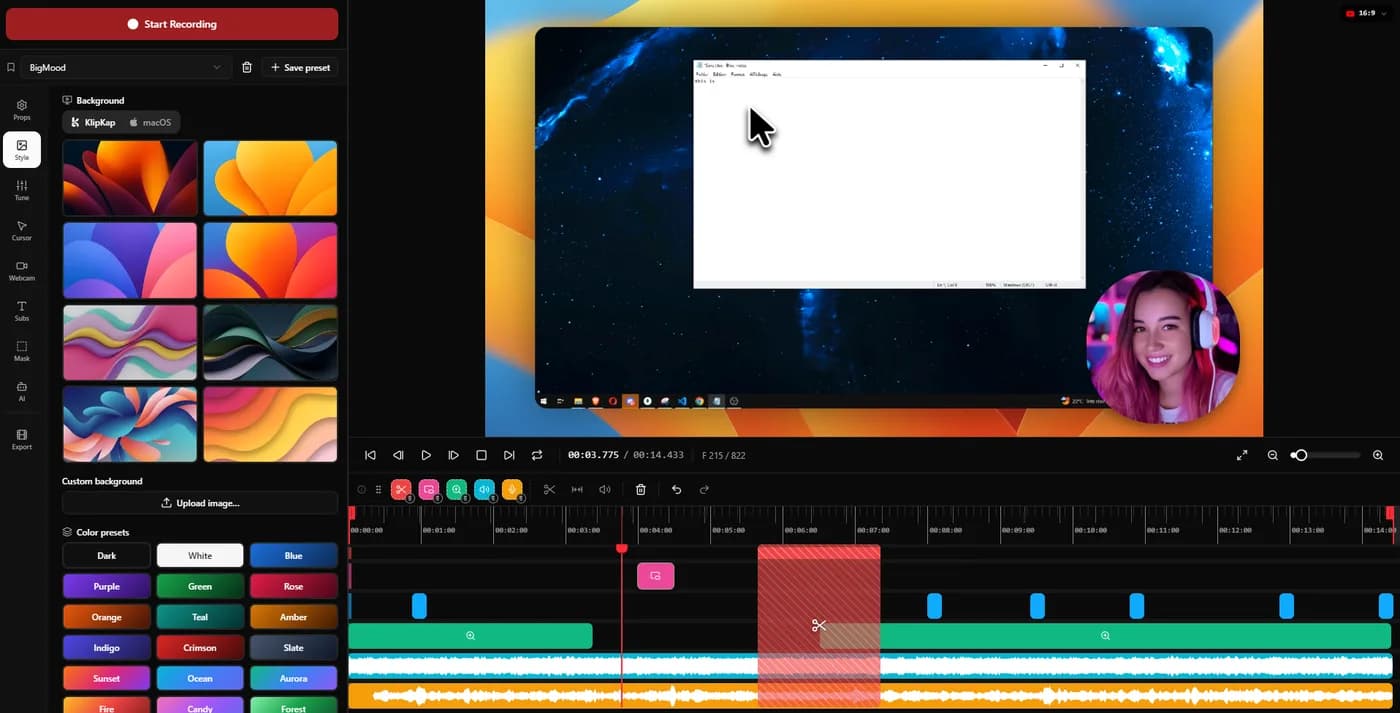
What the recording looks like when it ends
A colleague who already knows the product can follow a raw 1920-wide capture. A visitor on your pricing page cannot, and will not squint to find the button you clicked.
KlipKap Pro
Zoom applied automatically around clicks with three adjustable dials, cursor motion smoothed and the pointer redrawn from twelve styles, backgrounds and window styling, and word-level captions.
Loom
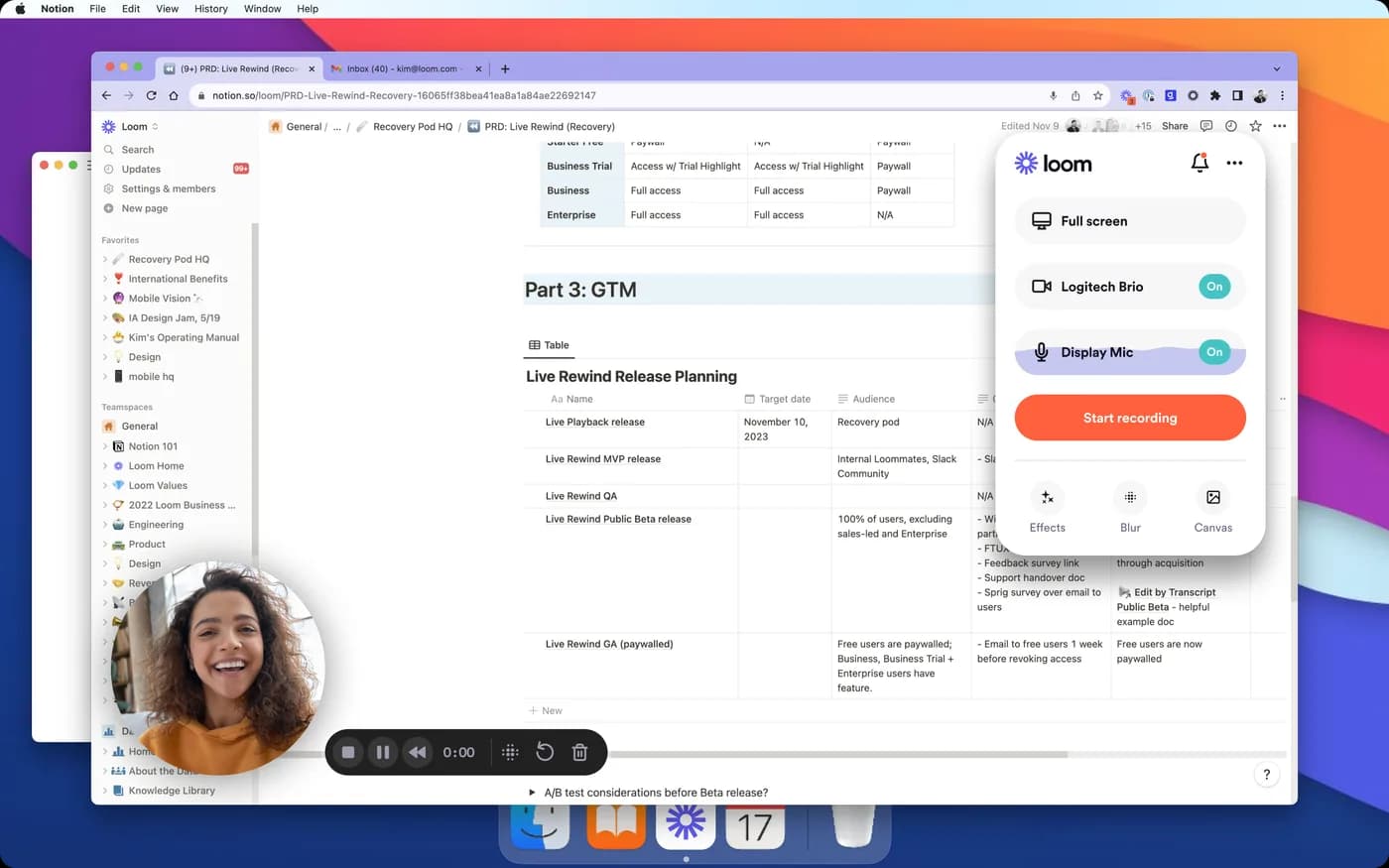
The screen as it was, with no automatic zoom and no cursor smoothing. That is a deliberate product decision rather than an omission: the recording is a message, and messages do not need cinematography.
KlipKap Pro for anything published. Loom is not trying to win this and does not need to.
Per seat against per licence
Per-creator pricing grows with headcount. Nothing about the product changes; the invoice does.
KlipKap Pro
$25.49 once per licence, with no seat count, so the arithmetic does not change when someone joins.
Loom
$15 per creator per month billed annually, so $180 a year for one person and $900 for a team of five. The free tier is real but capped at 25 videos of five minutes each.
KlipKap Pro on cost at any team size beyond one, and by a wide margin at five.
Where the footage lives
Uploading is what makes an instant link possible, so it is a consequence of the design. It is also the thing a security review will ask about.
KlipKap Pro
Nothing is uploaded. Capture, editing, transcription, audio repair and export all run on the machine, and the only network calls are downloading the app and activating a licence.
Loom
Recordings live on Loom's servers by design. That is the mechanism behind the share link, the analytics and the comment threads.
KlipKap Pro when the screen contains anything that should not leave. Loom when hosted delivery is the whole point.
What comes out, and how long it takes
Export is where a quick edit turns into a slow afternoon. Resolution and frame rate set the ceiling; whether the render uses the GPU decides whether a ten-minute 4K piece is a coffee break or a lunch break.
KlipKap Pro
MP4 and GIF, up to 4K, at 24, 30, 60 or 120 fps, GPU-accelerated. Six aspect ratios cover YouTube, TikTok and Instagram, X, LinkedIn and Facebook alongside the source dimensions, so a 16:9 demo becomes a 9:16 clip without reframing by hand.
Loom
Cloud-hosted playback with downloads available. Frame rates above 60 fps and GIF output are not documented.
KlipKap Pro. 4K at 120 fps with GPU acceleration is not matched in this category outside OBS, which is a live-streaming tool rather than an editor.
Current plans
KlipKap Pro
- Pro: $25.49 once, updates included, no renewal
- Free: permanent, 720p with a watermark, no time limit
- Windows 10/11 and macOS 13 or later, same price on both
- One account, unlimited machines, no device count to manage
- 14-day money-back guarantee
Loom
- Free: 25 videos per creator, five minutes each
- $15/creator/month billed annually, so $180/year
- $18/creator/month billed monthly
- Web, desktop app and browser extension
When to choose KlipKap Pro
There is no engine to compare, and that is the difference
Loom applies no automatic zoom, no cursor smoothing and no framing, and that is a deliberate choice rather than a gap: polish would slow down the thing it is for, which is sending a colleague a recording before you have finished thinking. So this row is not a close call in either direction. If the video is going to a customer or onto a launch page, the finished look is the entire reason to use something else, and KlipKap Pro's engine exists for exactly that job.
The recording gets published
Demos, launch videos, tutorials and onboarding all need to look edited. Loom deliberately does not do that part.
The team outgrew per-seat pricing
$25.49 once against $180 a year per creator. At five people that is $900 a year, every year.
The footage cannot be uploaded
Customer dashboards, internal metrics, anything under an NDA. Local processing turns a security conversation into a non-event.
When Loom is the better fit
Your recordings are messages
Stop, and the link is already copied. No export, no file, no upload wait, and the recipient needs no account. For a bug report that is the entire product.
You need to know who watched
Viewer analytics, comment threads on the timeline and a hosted player. A desktop editor hands you a file and stops.
The free tier already covers you
25 videos of five minutes costs nothing forever. That is a lot of bug reports, and no reason to buy anything.
Can you use both?
Yes, and it is the sensible answer rather than a fudge. Loom for the daily back and forth, a local editor for the handful of recordings a year that end up in front of customers. They cost different things and answer different questions.
Frequently asked questions
- Is KlipKap Pro a Loom replacement?
- Only partly, and it is worth being straight about it. If you use Loom to send quick recordings to colleagues, KlipKap does not replace that: there is no instant link and no viewer analytics. If you use Loom to record demos that end up on a website, KlipKap is built for that and Loom is not.
- Which is cheaper?
- Loom's free tier costs nothing but caps you at 25 videos of five minutes. Its paid plan is $15 per creator per month billed annually, so $180 a year for one person and $900 for five. KlipKap Pro is $25.49 once per licence, with no seat count.
- Does Loom have automatic zoom?
- No. Loom records the screen without cinematic treatment, meaning no automatic zoom on clicks and no cursor smoothing. It is a communication tool, and that is a deliberate choice rather than a gap.
- Where are my recordings stored?
- Loom uploads to its servers, which is what makes the instant share link work. KlipKap keeps recording, editing, transcription and export on your machine and uploads nothing.
Related comparisons
vs KlipKap Pro vs Screen StudioCross-platform licence against a Mac-only subscriptionvs
 KlipKap Pro vs CursorClipTwo one-time purchases, one of them Mac onlyvs
 KlipKap Pro vs FocuSeeWhat a lifetime licence actually coversvs
 KlipKap Pro vs Tight StudioOn-device AI against metered creditsvs
 KlipKap Pro vs TellaDocumenting the interface against framing the presentervs
 KlipKap Pro vs Screen CharmA focused subset against the full workflowvs
 KlipKap Pro vs CapOpen source against a finished workflowvs
 KlipKap Pro vs CamtasiaA demo tool against a course toolvs
 KlipKap Pro vs OBS StudioEditing after against broadcasting livevs
 KlipKap Pro vs CleanShot XVideo production against screen capture
Disclosure: this article is published by the team behind KlipKap Pro, one of the tools compared. Every price and platform claim is sourced below so you can check it rather than take our word for it. KlipKap has a free tier if you want to test it against the alternatives yourself.
Sources
Prices and platform support come from each vendor’s own pricing page, linked below. Software changes; if you spot something out of date here, tell us at contact@klipkap.pro and we will correct it.