 vs
vs
KlipKap Pro vs FocuSee: what a lifetime licence covers
Updated September 2026 · we make KlipKap, so weigh the opinion accordingly. Every FocuSee figure below comes from their own public pages and is linked at the bottom.
The short version
KlipKap Pro. This is the closest comparison on the site, because FocuSee is the only other tool here that genuinely ships on Windows with automatic zoom. It turns on terms rather than capability: FocuSee's $199.99 lifetime licence covers version 2.x, with the next major version sold as a paid upgrade, and its AI credits expire after a year. KlipKap Pro is a single payment with updates included and AI that runs on-device with nothing to meter.
How we checked. The KlipKap column comes from using the product. Every FocuSee claim comes from their own pricing and feature pages rather than from a review site, and where we could not confirm something we say so instead of filling the gap. Feature availability changes; the date at the top is when this was last verified.
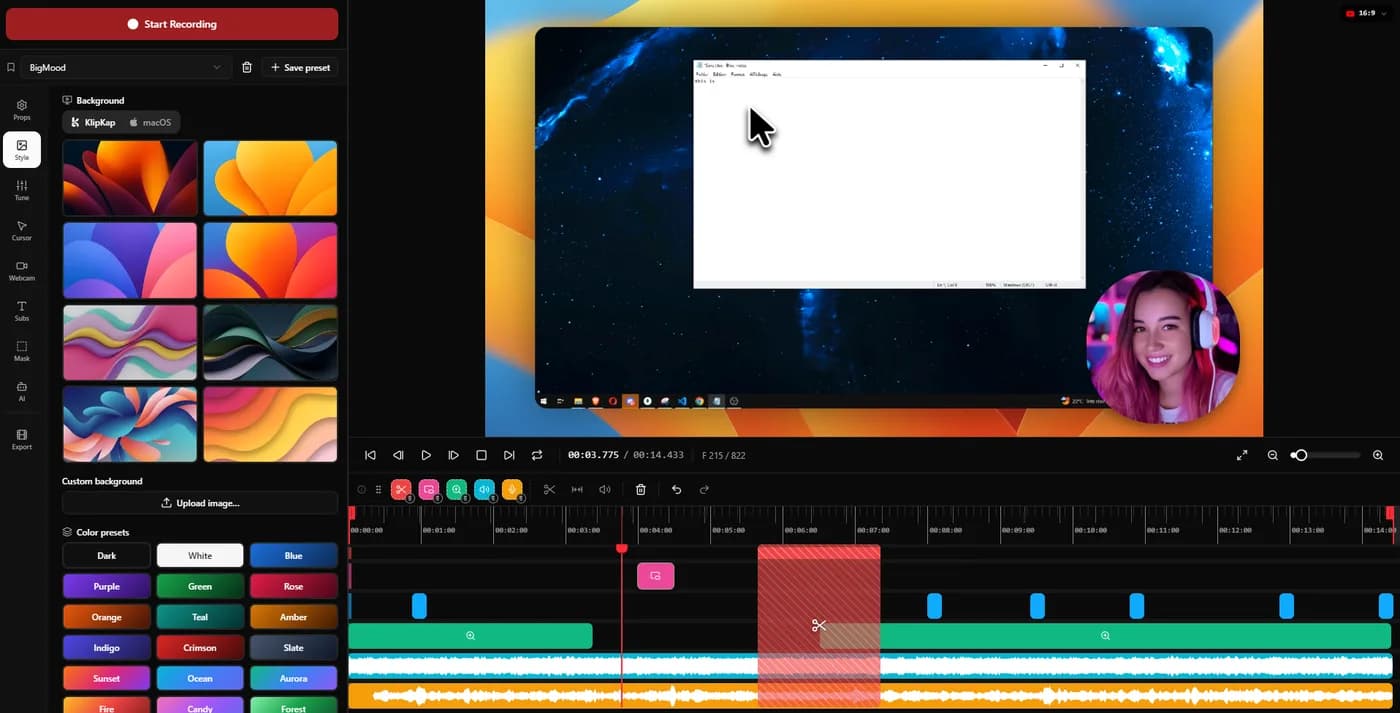
Where the zoom motion comes from
This is the closest match on the site, and both tools describe automatic zoom in almost the same words. What actually differs is the motion: how far it travels, how long it holds, how it returns. Those are arbitrary numbers somebody chose, and a striking number of recent tools chose identical ones.
KlipKap Pro
The effects engine was written from scratch for this one job, so the curve, the hold and the return are settings rather than inheritances. When a zoom reads as too aggressive on a 4K panel, that is something we change.
FocuSee
FocuSee documents auto-zoom on clicks and dynamic backgrounds and does not say where the motion itself comes from. That is not unusual and not a criticism, because almost nobody in this category publishes it. It does mean the question is worth asking before you buy, since it decides whether a curve you dislike can ever change.
KlipKap Pro, on a narrow and checkable point rather than a claim about taste. Record the same twenty seconds in both, change no settings, and compare the exports at full size.
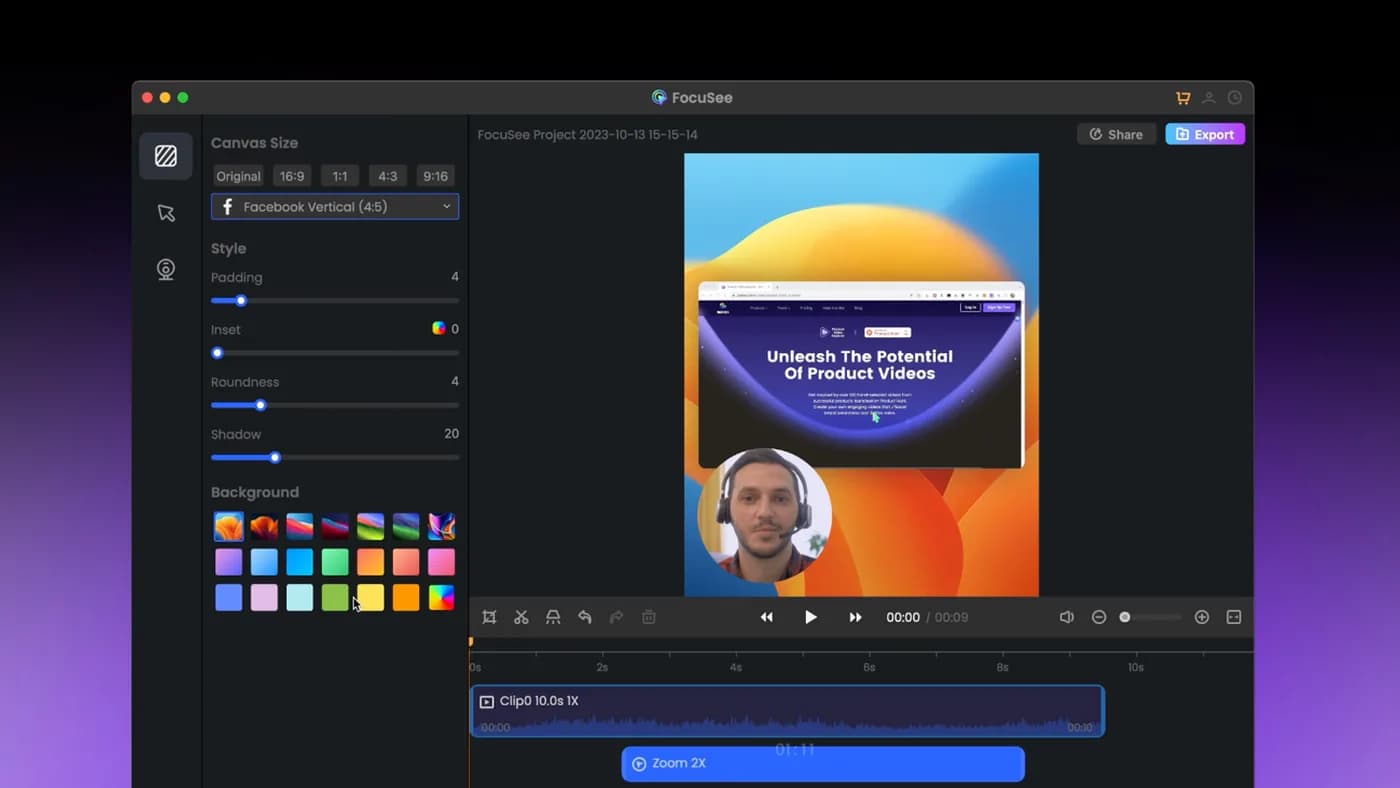
What the word lifetime covers
A perpetual licence and a perpetual licence to one version are different purchases, and the difference only shows up years later when the next major release arrives.
KlipKap Pro
$25.49 once, updates included, with no separate charge at the next major version and nothing that expires.
FocuSee
The $199.99 licence covers version 2.x for as long as you run it. Version 3 is a paid upgrade, discounted for existing owners. The 1000 AI credits bundled with it are valid for one year. Both are stated on their pricing page, so this is small print rather than a trick.
KlipKap Pro, at an eighth of the price and without the version cliff.
Where the AI actually runs
Most of these render video on your machine. Far fewer run the AI that way. Transcription, voice cleanup and silence removal are usually sent to a vendor API, which is why those products sell credits that expire: you cannot meter computation happening on a processor you already own.
KlipKap Pro
Transcription, voice repair and silence removal all run on-device, with a choice of model size. No API key, no per-minute charge, no allowance to run down, and no audio leaving the machine at any stage.
FocuSee
FocuSee bundles 1000 AI credits valid for one year with its lifetime tier, and sells more. A credit balance on transcription and audio work means that processing happens on their infrastructure, not yours.
KlipKap Pro. The credit meter is the tell, and it is printed on the other vendor's own pricing page.
The cheapest way in
The headline lifetime price is not what most people pay first. What matters is the cost of finding out whether the tool suits you.
KlipKap Pro
A permanent free tier at 720p with a watermark, no card and no clock, then a single payment if it earns it.
FocuSee
Standard is $49.99 a year and Advanced $79.99 a year. There is no free tier, so the cheapest way in is still a subscription, and owning it outright costs four times the annual price.
KlipKap Pro. One is free to evaluate indefinitely; the other asks for $49.99 before you know.
The pointer itself
In a screen-led video the cursor is what the viewer follows. A captured pointer is whatever the operating system drew at the time, usually too small to read once the video sits at half width on a page.
KlipKap Pro
The cursor has its own panel: twelve styles including animated ones, adjustable size and shadow, a tilt toggle that leans it into its direction of travel, and an option to hide it whenever it stops moving. It is redrawn at export rather than captured, so all of that can change after the recording exists.
FocuSee
Cursor smoothing and click effects are included. A library of replaceable pointer styles, size and shadow control, tilt and hide-when-idle are not documented.
KlipKap Pro. Smoothing the path is common; changing what the viewer is actually looking at is not.
What comes out, and how long it takes
Export is where a quick edit turns into a slow afternoon. Resolution and frame rate set the ceiling; whether the render uses the GPU decides whether a ten-minute 4K piece is a coffee break or a lunch break.
KlipKap Pro
MP4 and GIF, up to 4K, at 24, 30, 60 or 120 fps, GPU-accelerated. Six aspect ratios cover YouTube, TikTok and Instagram, X, LinkedIn and Facebook alongside the source dimensions, so a 16:9 demo becomes a 9:16 clip without reframing by hand.
FocuSee
4K export with social ratios. 120 fps and GPU-accelerated rendering are not documented on their public pages.
KlipKap Pro. 4K at 120 fps with GPU acceleration is not matched in this category outside OBS, which is a live-streaming tool rather than an editor.
Current plans
KlipKap Pro
- Pro: $25.49 once, updates included, no renewal
- Free: permanent, 720p with a watermark, no time limit
- Windows 10/11 and macOS 13 or later, same price on both
- One account, unlimited machines, no device count to manage
- 14-day money-back guarantee
FocuSee
- $49.99/year (Standard), one computer
- $79.99/year (Advanced), up to three computers
- $199.99 lifetime, up to five computers, version 2.x only
- 1000 AI credits, valid one year
When to choose KlipKap Pro
Where the motion actually comes from
This is the closest comparison on the site, so the question worth asking is the one neither marketing page answers: where does the zoom motion come from. A large part of this category grew around the same widely forked open-source base, and it shows in the one place taste should differ most, because the arbitrary numbers came from one place. FocuSee does not publish its provenance, and almost nobody in this category does. KlipKap Pro's engine was written from scratch for this single job, which is why a curve that does not suit your footage is a setting here rather than something to work around.
You want updates, not a version
No upgrade fee when the next major release lands, and no AI allowance that runs out mid-project.
The AI has to stay on your machine
Credits are billed because the work happens on someone else's hardware. On-device models have nothing to charge for and nothing to upload.
The price
$25.49 once against $199.99, or against $49.99 every year for the subscription tier.
When FocuSee is the better fit
You want the larger background library
FocuSee ships more dynamic backgrounds than we do. If your videos lean on that, it is a real difference.
You already own version 2.x
You have a working tool with no renewal date. Switching for the sake of it makes little sense until version 3 asks you for money.
Can you use both?
There is no reason to run both. They solve the same problem on the same platforms, and the decision is commercial rather than technical.
Frequently asked questions
- Is FocuSee's lifetime licence really lifetime?
- It covers version 2.x for as long as you want to run it. The next major version is a paid upgrade, and the 1000 AI credits expire after a year. It is a perpetual licence to one generation of the software rather than to the product.
- Which is cheaper, KlipKap Pro or FocuSee?
- KlipKap Pro at $25.49 once. FocuSee's cheapest entry is $49.99 for a year and its lifetime option is $199.99, so KlipKap is roughly half of one FocuSee year and an eighth of the lifetime tier.
- Do both run on Windows?
- Yes. This is the one comparison on this site where the platform is not the deciding factor: both are genuine Windows and macOS applications.
- What does FocuSee do that KlipKap does not?
- Its lifetime licence covers up to five computers, which is more generous than a single-machine licence if you work across several, and it ships a larger library of dynamic backgrounds.
- Why does FocuSee sell AI credits?
- Because the AI runs on their servers. Transcription and audio processing carried out on your own processor cost the vendor nothing per minute, which is why KlipKap has no credit system at all.
Related comparisons
vs KlipKap Pro vs Screen StudioCross-platform licence against a Mac-only subscriptionvs
 KlipKap Pro vs CursorClipTwo one-time purchases, one of them Mac onlyvs
 KlipKap Pro vs Tight StudioOn-device AI against metered creditsvs
 KlipKap Pro vs TellaDocumenting the interface against framing the presentervs
 KlipKap Pro vs LoomProducing video against sending itvs
 KlipKap Pro vs Screen CharmA focused subset against the full workflowvs
 KlipKap Pro vs CapOpen source against a finished workflowvs
 KlipKap Pro vs CamtasiaA demo tool against a course toolvs
 KlipKap Pro vs OBS StudioEditing after against broadcasting livevs
 KlipKap Pro vs CleanShot XVideo production against screen capture
Disclosure: this article is published by the team behind KlipKap Pro, one of the tools compared. Every price and platform claim is sourced below so you can check it rather than take our word for it. KlipKap has a free tier if you want to test it against the alternatives yourself.
Sources
Prices and platform support come from each vendor’s own pricing page, linked below. Software changes; if you spot something out of date here, tell us at contact@klipkap.pro and we will correct it.